patrick@fribourg:~$ man staygroov
← the short page
staygroov
staygroov adapts to the music you listen to.
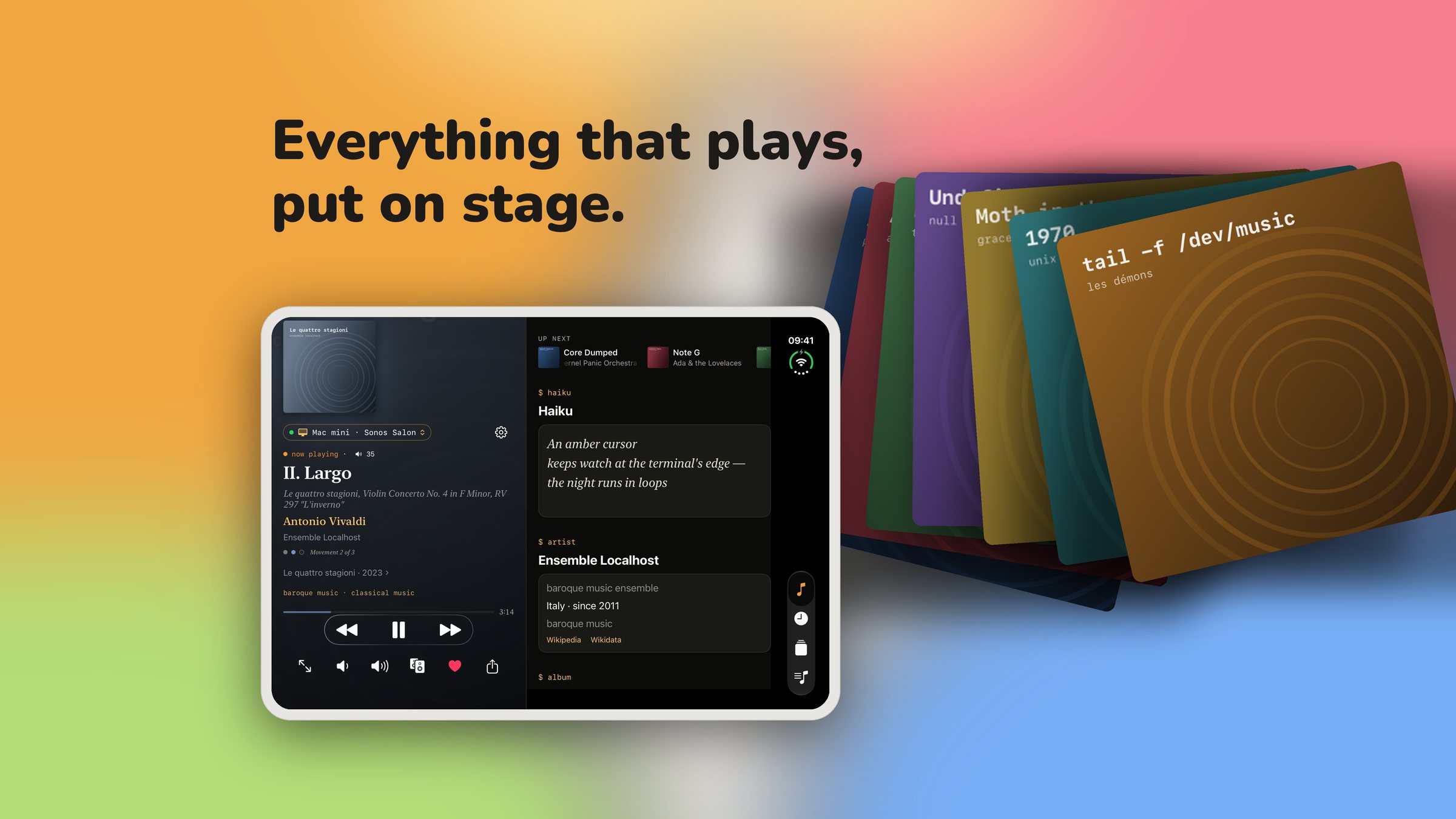
A daemon that runs tail -f on my music: it follows every source in the
background, from the living-room speakers to the iPhone on the train, documents it, remembers it in
a library that builds itself, and lets me play it again in one gesture. And it puts it on stage:
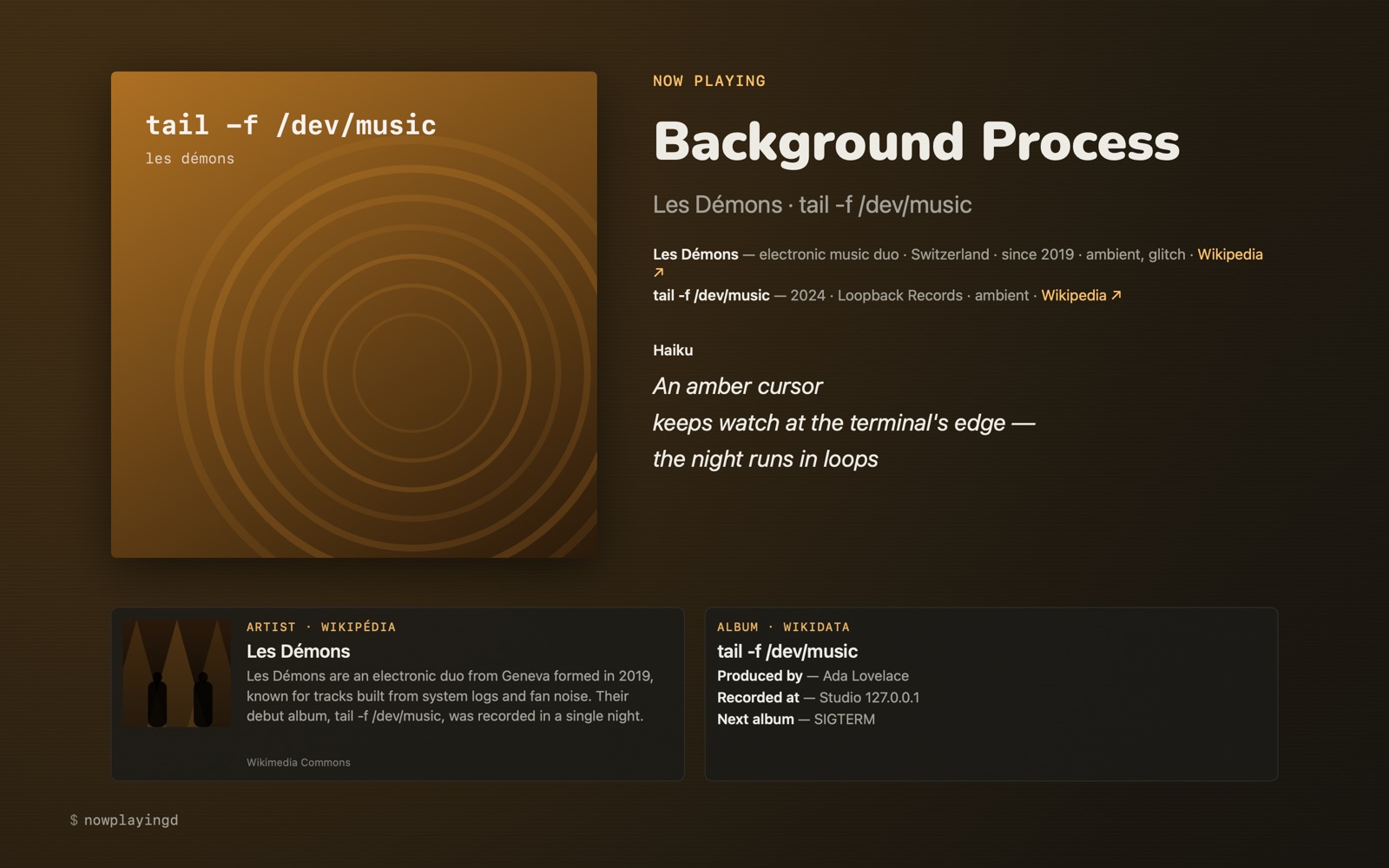
animated cover, backstage and a haiku written for the track. On the Mac, the
iPhone, the iPad, the Apple TV and the Apple Watch.


status: available version: 1.1, on the App Store for iPhone and iPad; Mac and Apple TV in Apple's review → where the information comes from tested every day: Sonos, Apple Music, Plex and Discogs account: none needed (Last.fm and ListenBrainz optional) requires: macOS 26, iOS 26, iPadOS 26, tvOS 26, watchOS 26
staygroov --help
How to use it, in seven steps (the full user guide, also in French, German, Italian and Spanish). No account is needed. Last.fm, ListenBrainz, Libre.fm, your own scrobble server, Discogs, Plex, Mastodon and Bluesky are all optional: connect them later, in Settings. Following your Sonos speakers all the time needs a Mac: the iPhone, iPad and Apple TV show them, but the Mac is the one that follows them without a break, keeps the household log and sends the plays to the services you chose.
- Install. staygroov is on the App Store for iPhone and iPad; Mac and Apple TV follow as soon as Apple has approved them. Install staygroov on your Mac, and if you like on your iPhone, iPad and Apple TV.
- Start on the Mac. The assistant asks only for what it needs: your sources (Sonos speakers, Apple Music, Spotify). What's playing shows up right away; accounts and imports come later. staygroov then lives in the menu bar.
- Make the Mac your hub. Settings → Role → Hub, if the Mac stays on: it follows every source, scrobbles (Sonos included) and posts for your other screens. The hub keeps the Mac from going to sleep on its own; while the Mac is off (or a MacBook's lid is closed), Sonos plays aren't scrobbled.
- Pair your screens. On the iPhone, iPad or Apple TV, on the same Wi-Fi: open staygroov, pick the hub and type the 6-digit code shown on the Mac. Only once.
- Watch. On the Mac, ⌥⌘N opens full screen, only when you ask. On the iPhone or iPad, the full-screen button, or turn the device. The Apple TV is always full screen; a click on the remote shows the controls, playback up front and the rest in a glass tile. Above the title, the source label (with its small arrow) chooses what is shown: automatic, the hub, Sonos, this iPhone or Last.fm.
- Find it and play it again. The library fills up with every play (and all at once if you import your Last.fm, ListenBrainz or Apple history). On an album, a track or a work, Play again starts it on your Sonos speakers at home, or in Apple Music on the iPhone on the go. In a list, tapping a track plays it. The list of speakers makes it easy to pick yours.
- Share, and take it with you. The share button posts the track to Mastodon or Bluesky (one tap at home, through the hub). Away from home, the iPhone scrobbles what Apple Music plays by itself.
Spotify tip on iPhone. iOS doesn't let any app read what Spotify is playing. The simplest way: link Spotify to Last.fm inside Spotify itself (Settings → Apps → Last.fm). Spotify then scrobbles on its own, and staygroov shows the track through Last.fm, but without the position in the track (no countdown). On the Mac and on Sonos speakers, staygroov follows Spotify directly, never scrobbling twice; on the Mac, that scrobbling is off by default, since Spotify can scrobble by itself.
staygroov --library
It follows everything that plays. Sonos, Apple Music, Spotify, Plex, the radio, and soon your vinyl, your CDs and your hi-fi system. Nothing to launch, nothing to set up: the music plays, staygroov recognises it.
It documents it. The composer and the work for classical music, the story behind an album, the Wikipedia article, the hometown on a map. What you see changes with what you play.
It remembers it. Your record collection builds itself, play after play, and keeps years of history by album and by artist.
You can play it all again. A track, an album or a whole work, in one gesture, on the living-room speakers or on your iPhone on the train.
One idea runs through it all: enjoying your music as simply as possible, on your loudspeakers, your speakers and your headphones.
Your record collection
Your record collection builds itself from what you play, and plays again anywhere. Albums, artists, composers, history and statistics, in your iCloud and nowhere else. Everyone in the household has their own: plays never get mixed up. Play-by-play detail is kept for a year by default, then summarised by album and by artist. One line gives its size: albums, artists, composers, countries, plays.
At home or on the train
At home, on your Sonos speakers, in the last room used (long press to pick another); on the iPhone, in Apple Music, or on a HomePod through AirPlay. On the go, straight in Apple Music. The album is looked up in Apple Music first, whatever the original source; otherwise, on Sonos, the tracks you already played restart through their original service: Qobuz, Plex, YouTube Music or SoundCloud (what works, service by service). In a list, tapping a track plays it, and the screen follows what you started. On the Apple TV, "Play on this Apple TV" plays on the Apple TV itself.
The whole catalog, one tap away
A fourth tab, "Play". First "Your Sonos radios": the stations in your Sonos favorites, each opening its card with one tap, and an "Open Sonos" button for the Sonos app. Then "Your radios", the ones in your library. Then Apple Music, with an "Open Apple Music" button: the tab searches the catalog and starts playback, like the Sonos app: on the speakers at home, on the iPhone elsewhere. "For you" and the charts before you search, radio stations, genres. Play, shuffle, "Play next", adding to your Apple Music library, and each record's quality: Lossless, Hi-Res, Dolby Atmos. Your downloaded music plays offline. An album you have already played shows your plays, track by track.
Your radios
A radio station playing on Sonos joins your library with the first song recognised on air. In the "Radios" section, one tap opens its card: logo, service, where it broadcasts from, your plays. "Play" starts it again on your Sonos speakers, in the last room (long press to pick another), through the Sonos favorite with the same name or its saved address; on the device, through the live Apple Music station with exactly the same name, otherwise nothing rather than another station; or through AirPlay. The household location that TuneIn stream addresses contain is never kept: only the station and the service identifier.
What matters for what you play
Classical: the composer, the work and its movements, the performers by role. Jazz: the personnel and their instruments, the session, the composer of a standard, the original pressing. Hip-hop: production, guests, samples, playable with one tap. Electronic: the label, remixes and their original. Rock: the band at the time of the album. Film music: the film, its year, director and composer. World music: the instrument, the tradition, the country and the language. Chanson and pop: who wrote it, and other versions, playable. For every genre, the track's credits, and the album backstage: its guests, its production, its songwriting. According to MusicBrainz and Wikidata, and nothing when in doubt.
Where your music comes from
The country and hometown of your artists, from Wikidata, on a world map: one bubble per country, one dot per city. While a track plays, the artist's hometown also shows up backstage. Your radios get a pin where they broadcast from: the station, its headquarters or its town, otherwise the headquarters of its broadcaster; one tap starts it again. On the Apple TV, the countries scroll by with the remote and the map follows. Your corrections always win and follow you on all your devices.
Your record shelf
Your records join the library, even the ones you've never played. While you listen, "In your collection · Vinyl", and the card of your own copy: pressing, sides, credits, date added. Data provided by Discogs. This application uses Discogs’ API but is not affiliated with, sponsored or endorsed by Discogs. ‘Discogs’ is a trademark of Zink Media, LLC.
Your music server
What plays on your Plex server is followed by the hub: the Plex app on the Apple TV or the iPhone, Plexamp, several players at once. Each play is enriched and scrobbled like a Sonos play, and goes to the person of its Plex account, even away from home. Start an album on Plex, carry on with it on the Sonos speakers, finish it in Apple Music on your iPhone: it stays one album in your Memory, with one listening story. The albums on your own Plex servers join the library too. You sign in on plex.tv: your password never goes through staygroov. Plex is a trademark of Plex, Inc.
Identify the music
When nothing plays on your sources (a café, a friend's radio, a turntable), one tap on Shazam recognises the song. The microphone turns on only when you decide, for a few seconds, then turns off. The song becomes what's playing, documented like the rest, and joins your library without being scrobbled. Your turntable on a Sonos speaker: play/pause and that room's volume.
What you want to see
Tap the label above the title: automatic, the hub, your Sonos speakers, Apple Music on the iPhone or Last.fm, each one explained. A choice made by hand stays chosen, even after a relaunch, until the next one.
Your own server
Maloja, Koito or a ListenBrainz at home receive your plays on top of Last.fm, ListenBrainz and Libre.fm, each one only once, even when another service is down.
Where it plays
Minutes of music per Sonos room, the turntable's line-in included, and per iPhone output: its speaker, a Bluetooth speaker, AirPods, a HomePod. Each with its icon, over 30 days, noted by the hub every 5 minutes.
Every record introduced
A few lines about the album, from Apple Music's editors or Wikipedia, translated on the device. An artist's discography sorted by type, studio, live, EP, single, newest first. "Open in Apple Music" for the album as for the artist.
who
Who is it for? A few examples, depending on how you listen to music.
Lea plays everything on Apple Music
In the evening, an album on the living-room speakers; in the morning, the same one on the train. Everything is followed, documented and playable again, at home and out. The most complete case.
Mark is on Spotify
Everything playing on his Sonos lands in his record collection, with the backstage. To play a record again on the speakers, Apple Music takes over if the household has it. On the go, Spotify scrobbles to Last.fm, and staygroov shows it.
Claire loves hi-res
A concert she played on Qobuz starts again on the same speaker, through Qobuz, in one gesture, even without Apple Music. And for her Bach: the composer, the work and the movement.
John has a turntable
Radio is followed on its own. For a record, one tap on Shazam recognises it (the microphone only turns on when John decides), and his Discogs collection joins the library, even the records he never played.
The whole family
The same speakers, one record collection per person. Whoever opens the app on their iPhone gets that room's plays; nothing gets mixed up.
A Mac and an iPhone
Music on the Mac (Apple Music, Spotify) and on the iPhone is enough: followed, documented, kept in your record collection, playable again in Apple Music.
sonos --replay --services
Playing again on the speakers, service by service. staygroov goes through Apple Music first, to find the same version of the record everywhere. Otherwise it restarts the tracks already played through their original service. Tried on my speakers on 19 and 20 October 2026:
| Service | Play again on Sonos |
|---|---|
| Apple Music | yes, the whole album, even if played elsewhere |
| Qobuz | yes, through Qobuz (verified) |
| Plex | yes, through Plex (verified) |
| YouTube Music | yes, through YouTube Music (verified) |
| SoundCloud | yes, through SoundCloud (verified) |
| Radio | yes, through its address (verified) |
| Spotify Free | no: Sonos doesn't let a free account fill its queue; Apple Music takes over if the household has it |
| Spotify Premium, Tidal | to be confirmed: if you have one, I'd love your test |
Play again only restarts what staygroov actually saw playing. For a radio, it only keeps the station and the service identifier, never the household location its stream address contains.
ls screenshots/
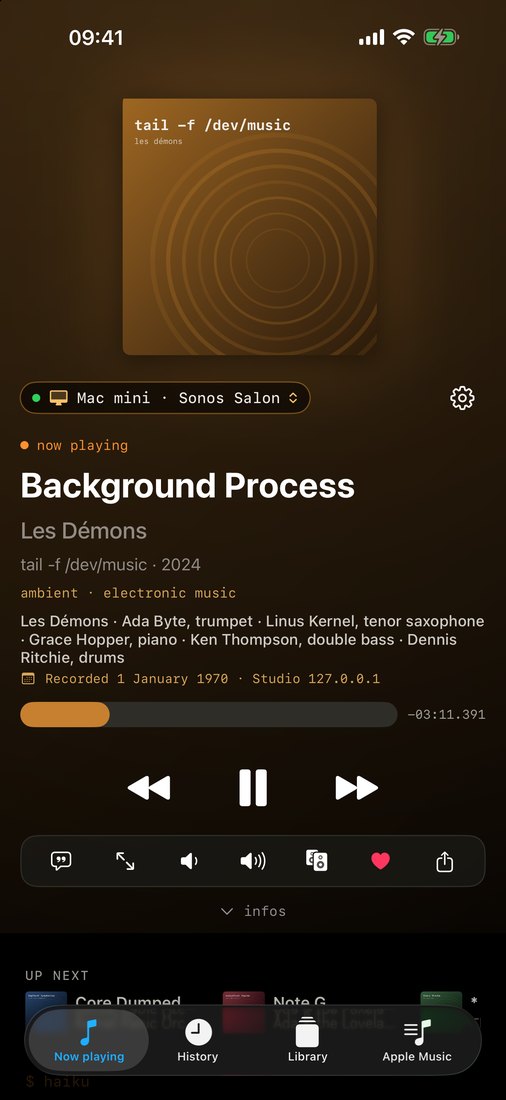
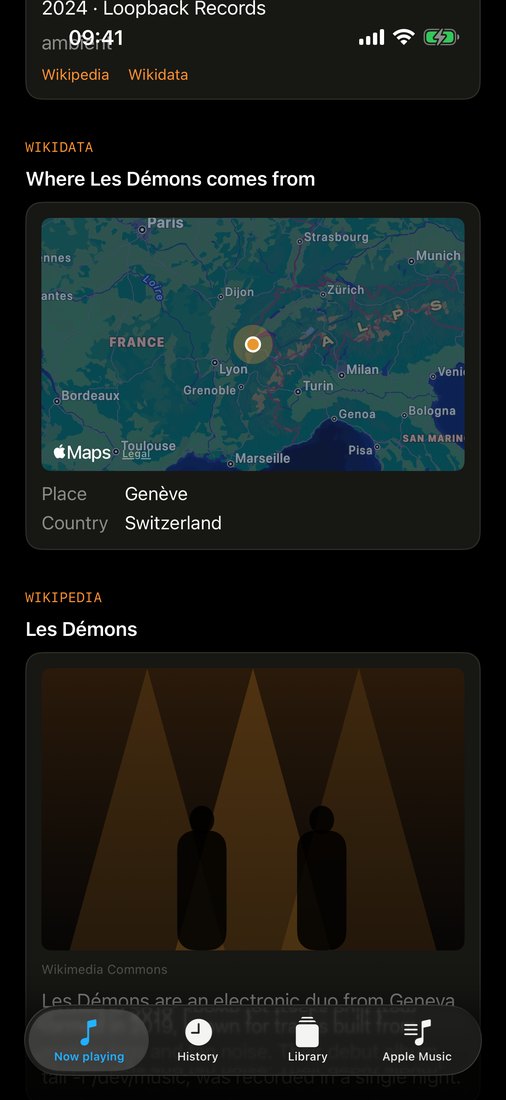
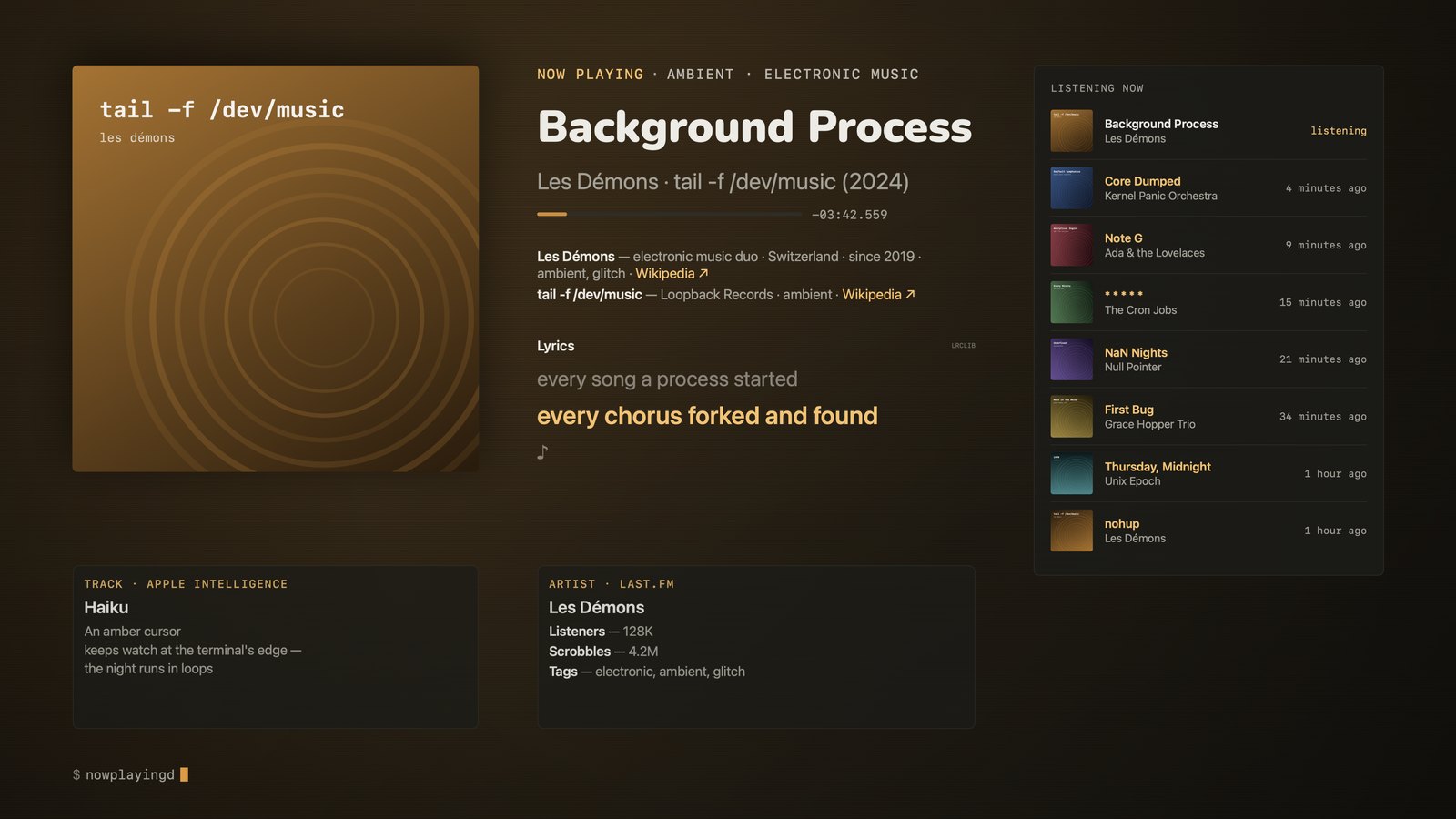
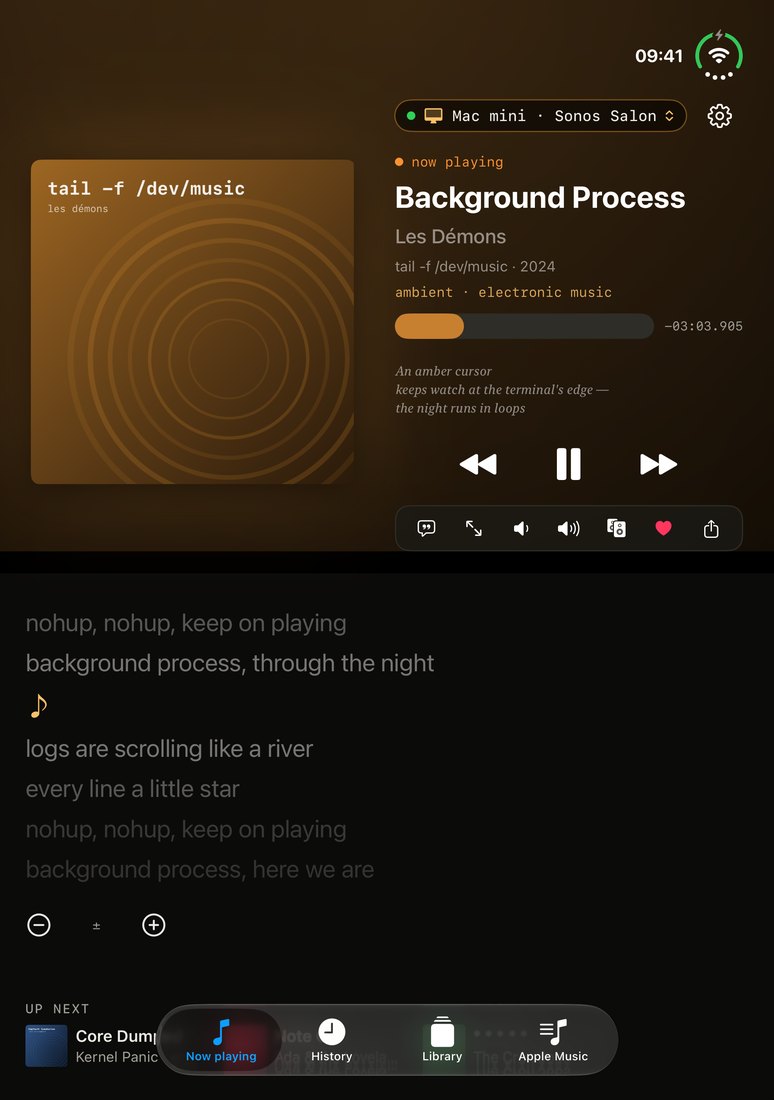
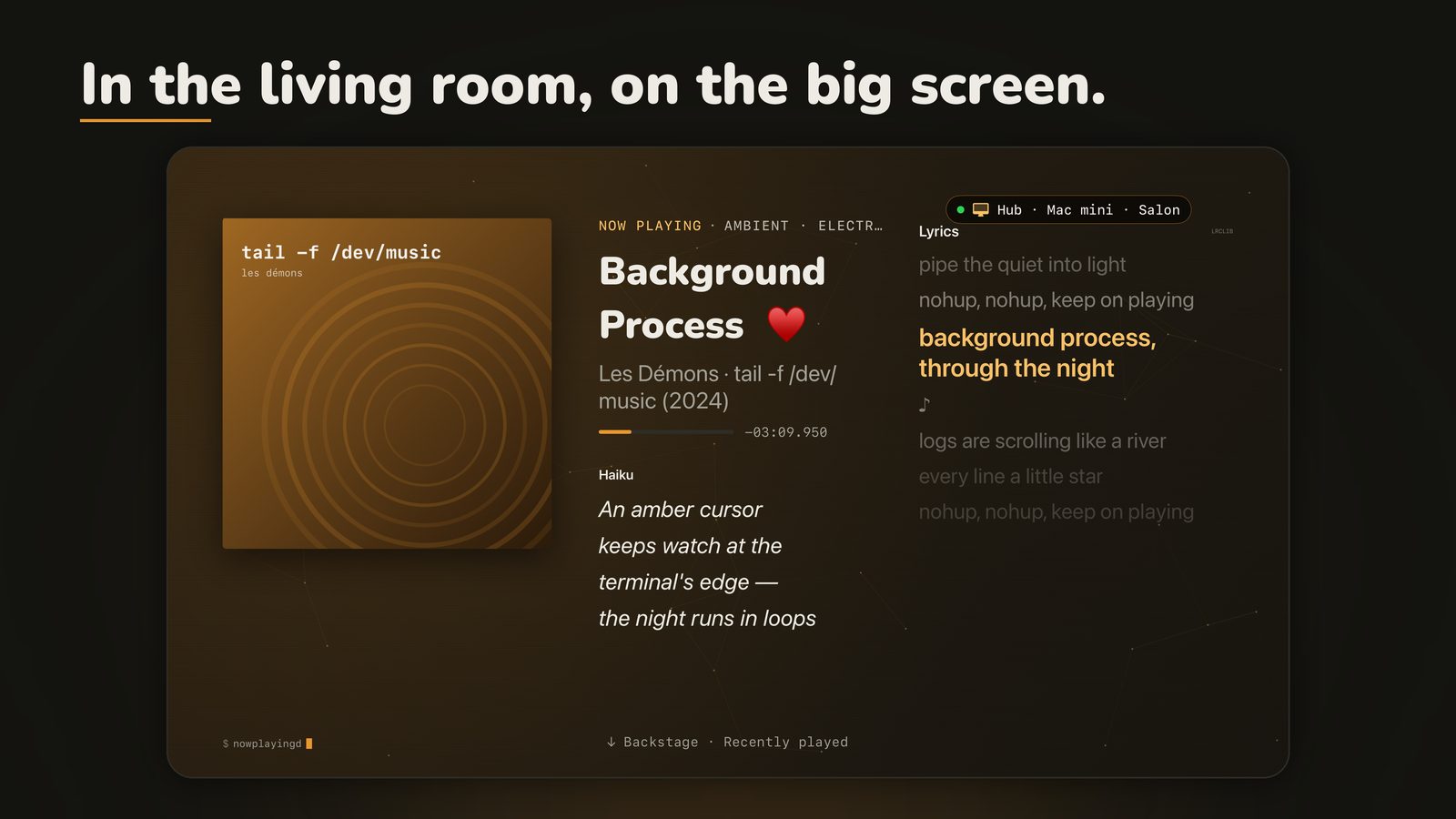
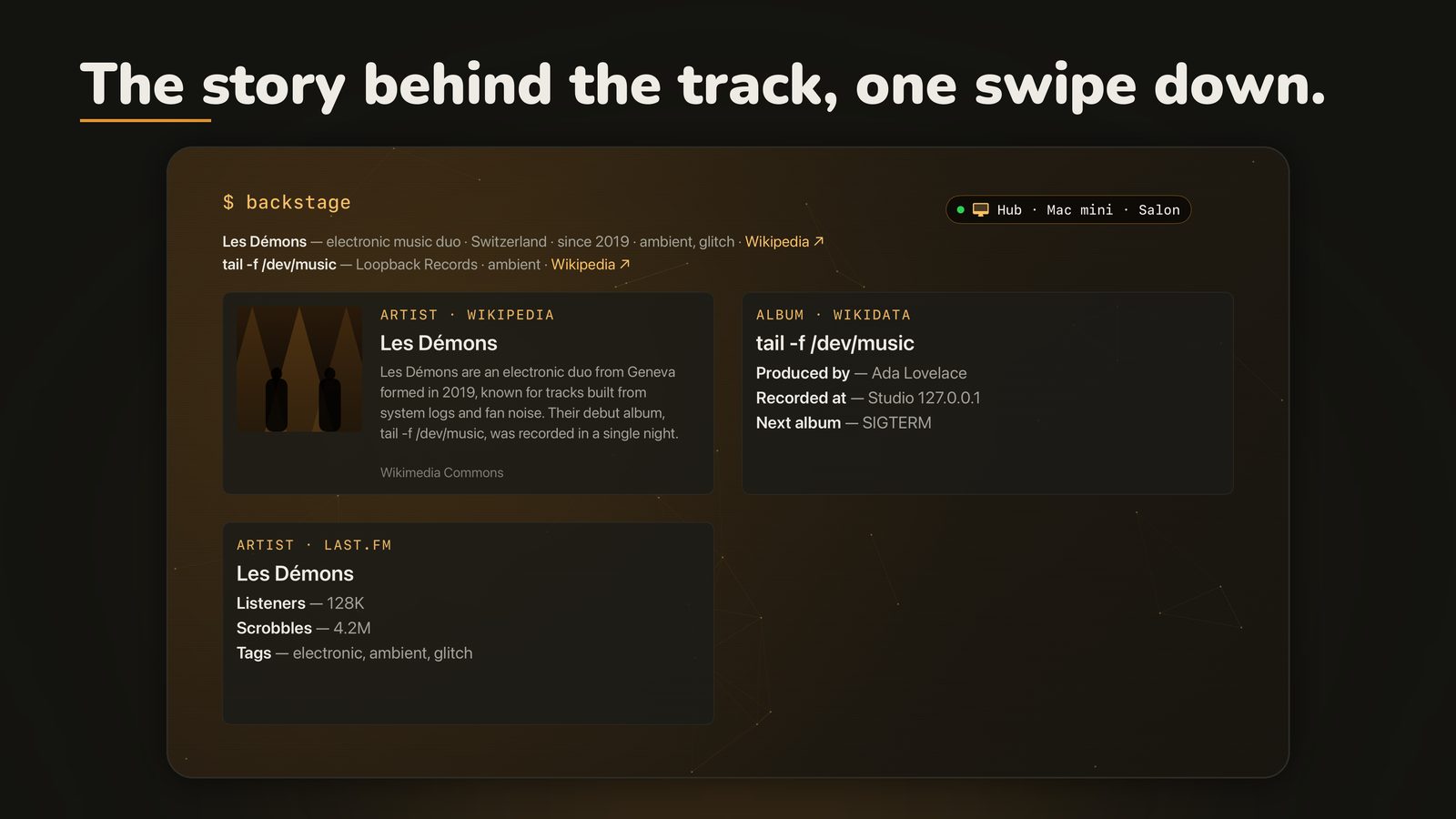
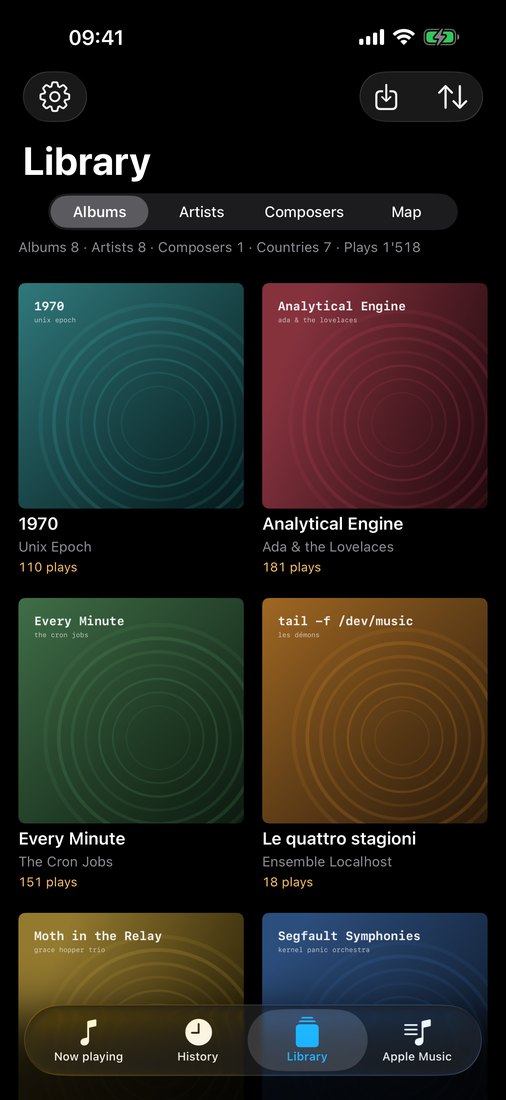
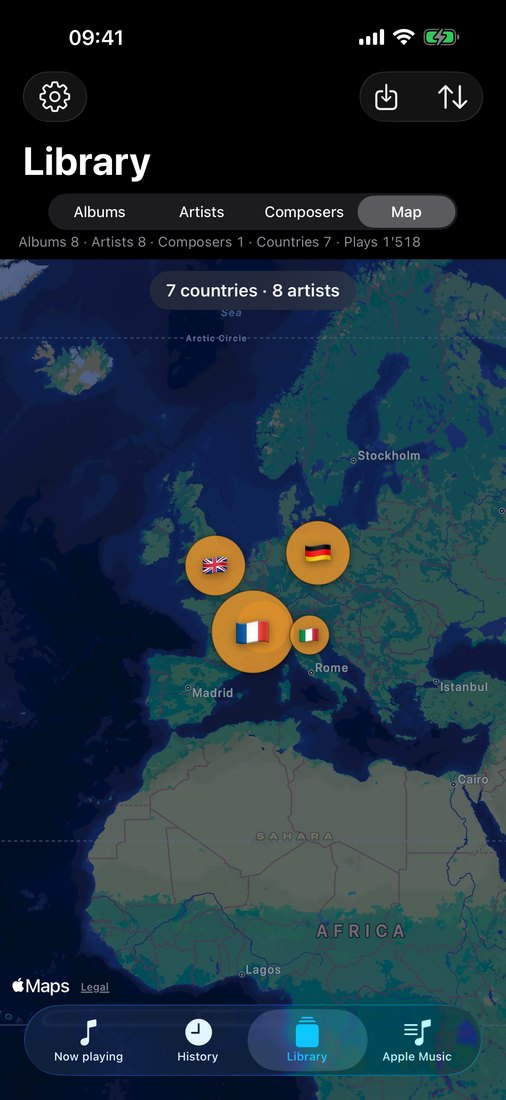
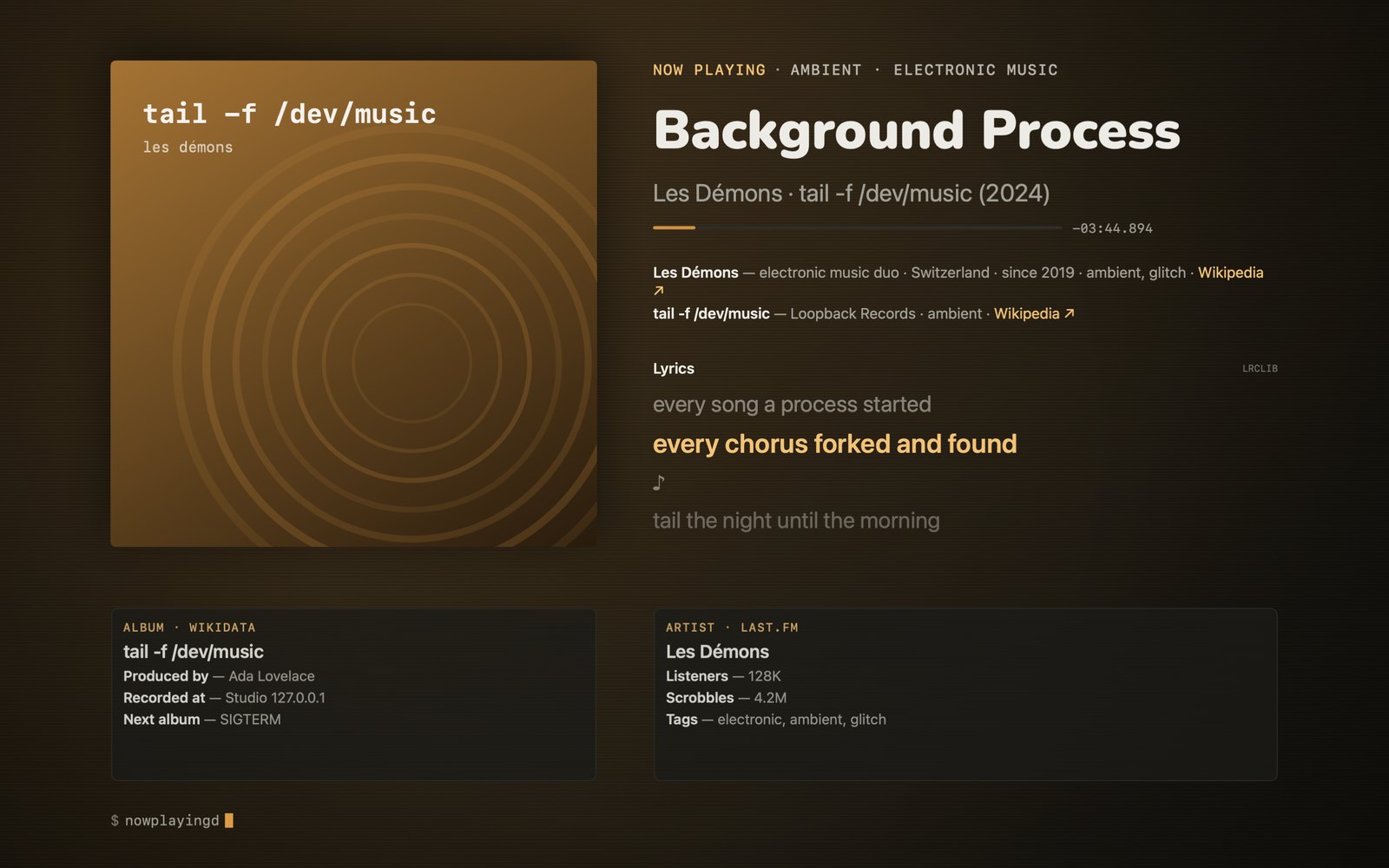
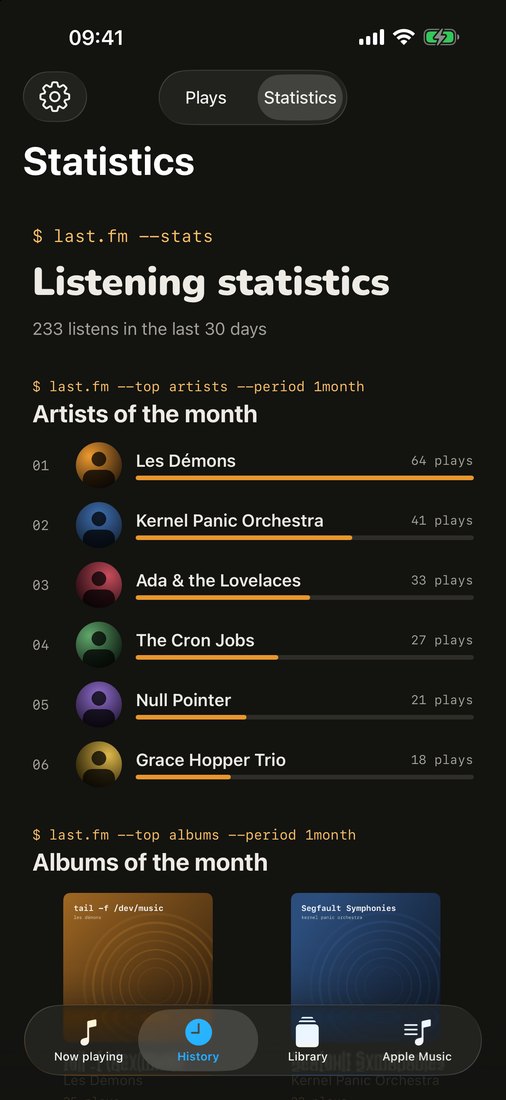
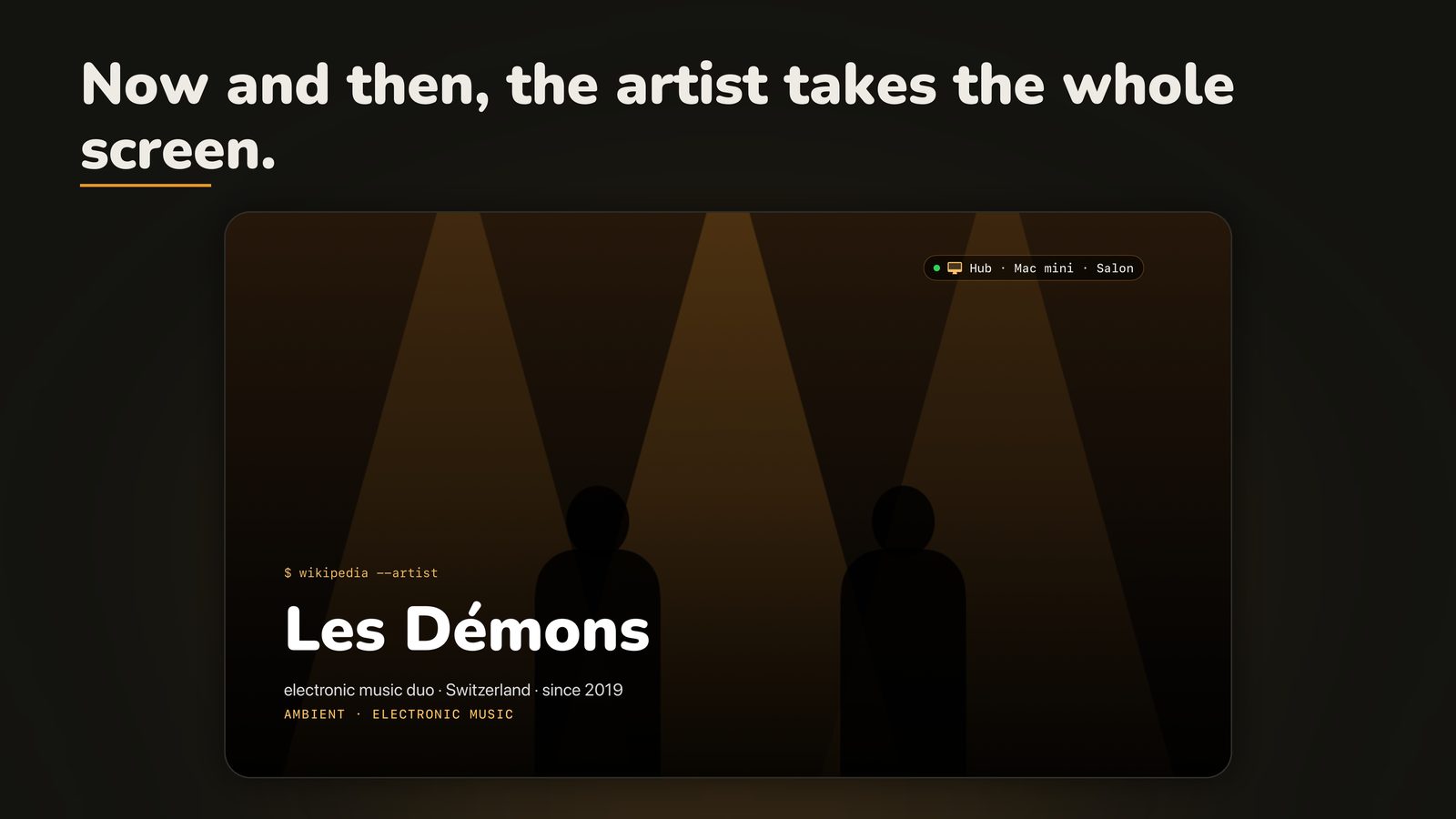
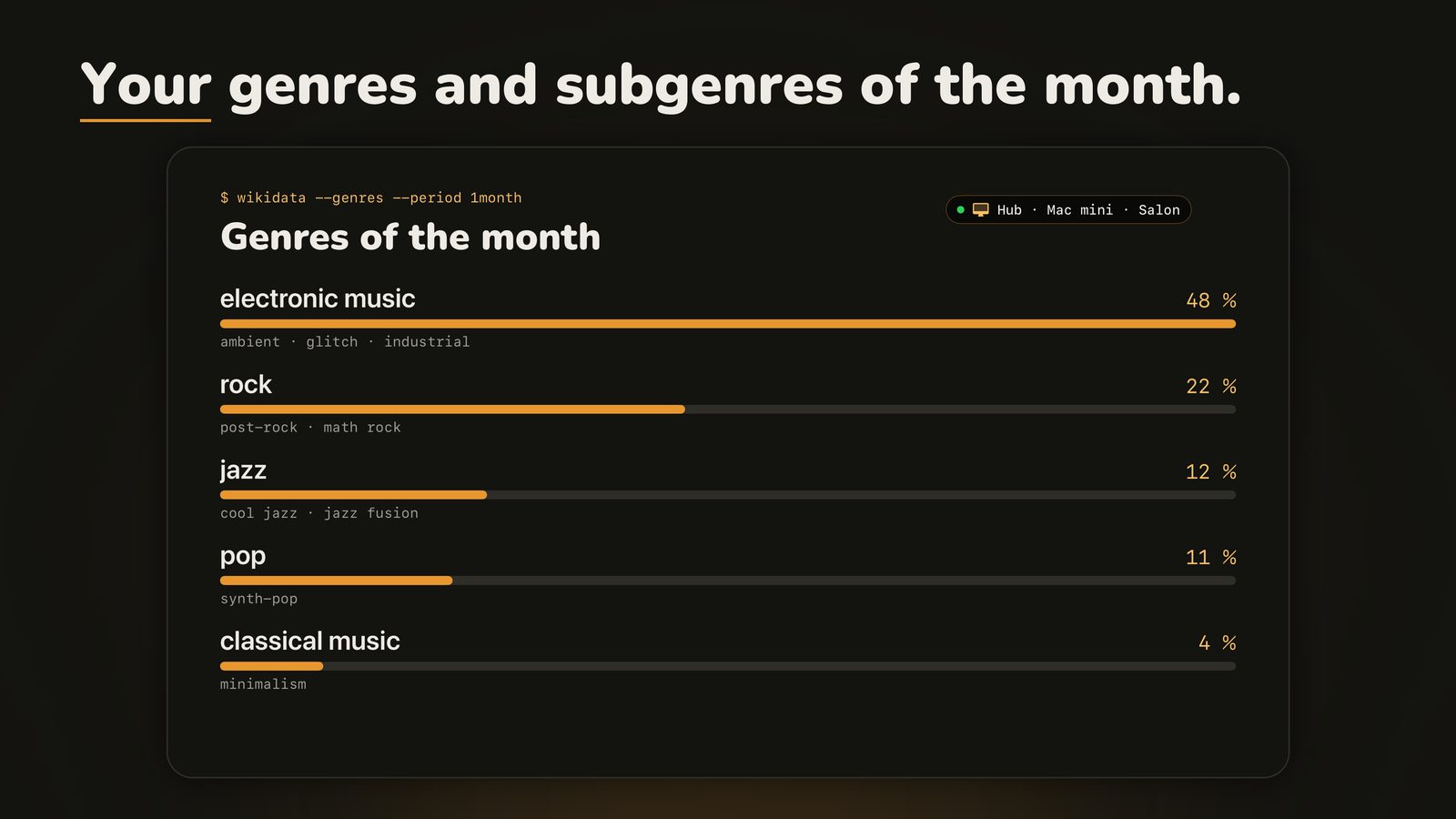
Track, band and covers invented for the demo: no copyrighted work. Tap an image to enlarge it.
staygroov --everywhere
The scrobbler follows everything; the visualizer shows everything. Both halves of staygroov live on every device, each in its own way:
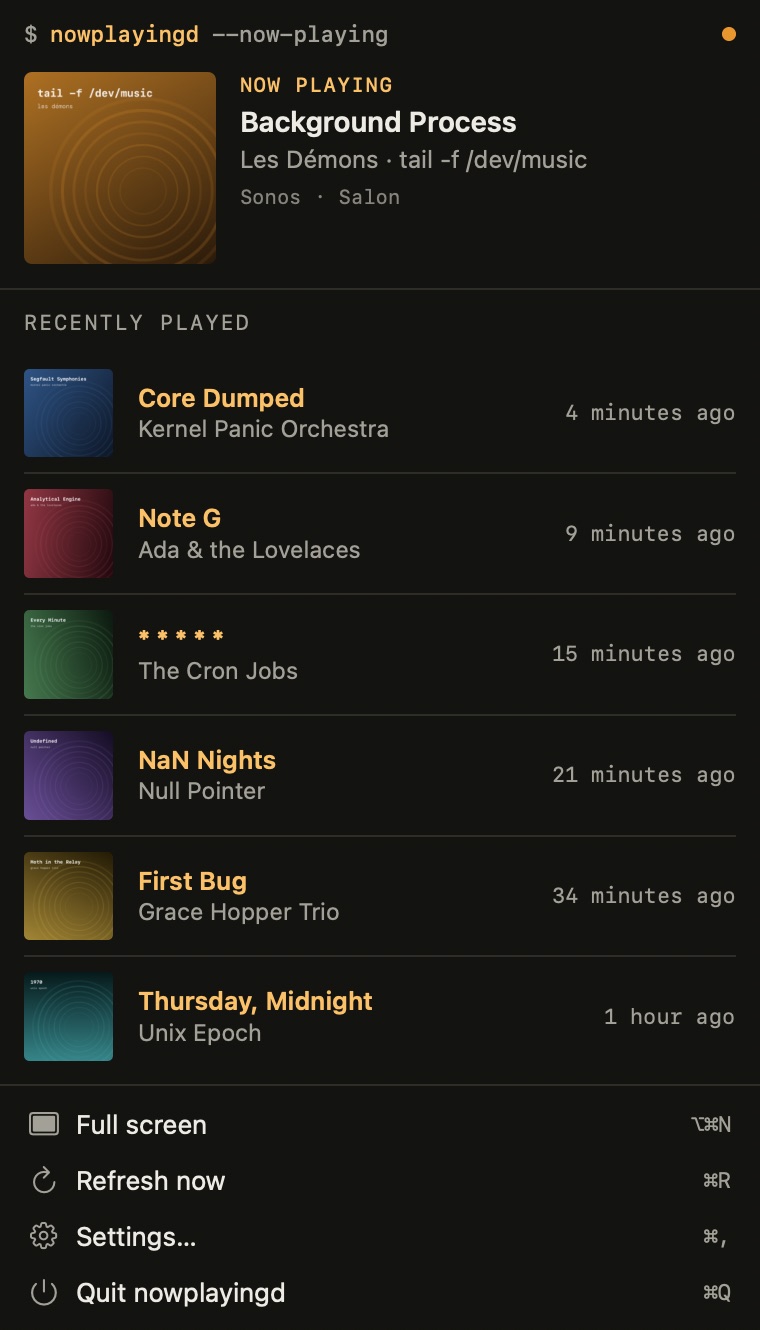
- Mac: first of all the home's hub, with a simpler screen: the menu bar, Memory (library, history and statistics), and the full-screen now-playing wall (⌥⌘N), only when you ask, never on its own.
- iPhone and iPad: four tabs, Now playing, History (statistics included), Memory (your library) and Play, and Settings from a button at the top of each.
- iPhone: at home, the hub's display; on 5G, what the iPhone itself plays, and Apple Music scrobbling, library and streaming. Widgets on the Home Screen, the Lock Screen and in StandBy, with the cover coming alive minute by minute.
- iPhone and iPad in landscape: a split screen, the track on one side, backstage on the other; one button opens the Mac's full screen, as is.
- Lock Screen and Dynamic Island: the room, the track and the controls, just like the Sonos app.
- iPhone Duo: folded, an iPhone; unfolded, the history or the library on one side and the album on the other, and the now-playing screen edge to edge.
- Apple TV: full screen in the living room, and with the remote the library (with album credits), the map, the day-by-day history, Apple Music search and the choice of source. The cover in large; the backstage opens below. "Play on this Apple TV", next to "Play again on Sonos" or with a long press on a track, plays through its usual output: the TV, a soundbar, a HomePod. Without Sonos speakers, it plays there directly. It needs an Apple Music subscription; Sonos radios stay on Sonos. A tile picked in the Top Shelf opens its track, ready to play, on Sonos or on the Apple TV, the track or the album.
- Apple Watch: the cover and the controls on your wrist, and a widget for the Smart Stack.
staygroov --stats
My listening statistics, on every screen, drawn from my own record collection: no Last.fm needed any more. The most played artists, albums and genres, the listening clock, the rooms where music plays and radio in the background. No service knows the last two: the hub keeps the journal. And now and then, in full screen, a statistics page slides by.
cat ORIGIN.md
It started with the “now playing” frame on the home page of this site. A Python collector on my Mac mini asks Last.fm every 30 seconds what's playing, follows the Sonos speakers in the house, looks the artist up on Wikidata and has a haiku written about the track. The whole pipeline is described (in French) in the backstage page, and what it leaves behind on the music page.
staygroov is that frame turned into a real Mac app: no Docker, no collector, no server, and for anyone, not just my own Last.fm account. Same colours, same Nunito headings, same amber.
staygroov --role
One Mac does the work, the others just show it. In Settings → Role, an always-on Mac mini becomes the hub: it reads every source, finds the backstage cards, writes the haiku, and is the only one that scrobbles, so nothing is ever sent twice. The iMac and the MacBook become displays: they show what the hub publishes, menu bar and full screen included, and send play, pause, next and “love” back to it.
Under the hood: Bonjour (_nowplayingd._tcp) to find the hub, a WebSocket
that pushes every change, a six-digit code typed once to pair, then a key kept in the keychain.
The hub starts at login, keeps the Mac awake and writes a heartbeat every minute. If it goes quiet,
a display falls back to its own sources, without ever scrobbling. No account, no cloud: local
network only. Same idea as the Agence in fornews.ai, and as Roon's core.
staygroov --fx
Listening to music should be fun, for your eyes too. On iPhone and iPad, long-press anywhere on the Now Playing screen: the screen sinks under your finger, then a random effect bursts out of it, never the same twice in a row. A wave, sparks, rays, an iris, an equaliser, a jolt… or a reveal: the screen spins, slides, swings open like a door or tips backwards, uncovering the artist's photo, framed on their face by the device itself.
Tap the artwork and it flips over: on the back, the year, the label, the genres and your plays of the album. Tap twice and the record slides out and spins. Tilt the phone and the artwork follows while the background drifts the other way. On an unfolded iPhone Duo, and in landscape, both halves play together: a book closing, shutters opening, a hinge that moves or widens, a vinyl crossing the fold.
On Apple TV, nothing to touch: the big artwork comes first, the track's credits take their turn, and now and then a reveal plays by itself. While a track plays, the artwork sometimes moves as a whole: tilt, glow, pulse, sway, full turn or vinyl. On the Mac in full screen, a mood drifts behind the frame: vinyl dust, aurora, constellation or CRT.
The artwork is never altered: the screen moves, the image stays the publisher's. On pause, the screen dims around it. Every effect can be turned off in Settings, and everything stops when the device asks to reduce motion.
sonos --subscribe
The speakers speak first. Most apps ask Sonos speakers what they're playing every few seconds, again and again, even when nothing changes. staygroov subscribes once to the UPnP events of every speaker on the network, like the Sonos app itself does. From then on, the speakers tell staygroov: pause, play, next track show up in a fraction of a second, and the network stays quiet when nothing happens.
How it works: a tiny HTTP server on the Mac, a SUBSCRIBE to each
speaker's AVTransport service, a NOTIFY back at every change, renewed every
30 minutes. Polling stays as a safety net, every 10 s. Local network only, no Sonos account, no
cloud. Below, the real log from my house, this afternoon:
$ staygroov --verbose
[17:49:24] sonos: événements attendus sur le port 49xxx
[17:49:24] sonos: abonné aux événements de 192.168.1.x
[17:49:24] sonos: premier événement reçu (192.168.1.x), relève espacée à 10 s
[17:49:24] sonos: abonné aux événements de 192.168.1.x
[17:49:24] sonos: abonné aux événements de 192.168.1.x
… 9 enceintes
[17:49:25] en écoute [sonos · Move 2]: The Young Gods — Toi du monde (Second Nature)
staygroov --verbose
What staygroov (1.1) does. It's in beta, so the list may still move a little before release.
Everything that plays
Ten ways to see what's playing. On Sonos speakers, every service in the home, with no fixed list: a speaker declares more than 90, from Apple Music to Qobuz, Tidal, Deezer, Plex or YouTube Music, and their name shows next to "now playing". The radio, with the station's logo, then the Apple Music cover as soon as a song on air is recognised; Sonos Radio ads show as "Advertisement", never recorded nor scrobbled. Spotify Connect and AirPlay to Sonos, shown without being scrobbled twice. Apple Music and Spotify on the Mac, with the audio output (AirPlay, Bluetooth); with a free Spotify account, during an ad the previous track stays on screen, marked "Spotify ad", never recorded nor scrobbled. Apple Music on the iPhone, even on 5G, and the HomePod playing its music. Shazam for the music around you, when you ask. Last.fm and ListenBrainz, optional, for whatever plays elsewhere.
At a glance
The current track, its artwork, the room or audio output, and the history of every source, in order. Play, pause, next, Sonos included, and “love” on Last.fm and ListenBrainz. A widget, in three sizes.
⌥⌘N
Backstage
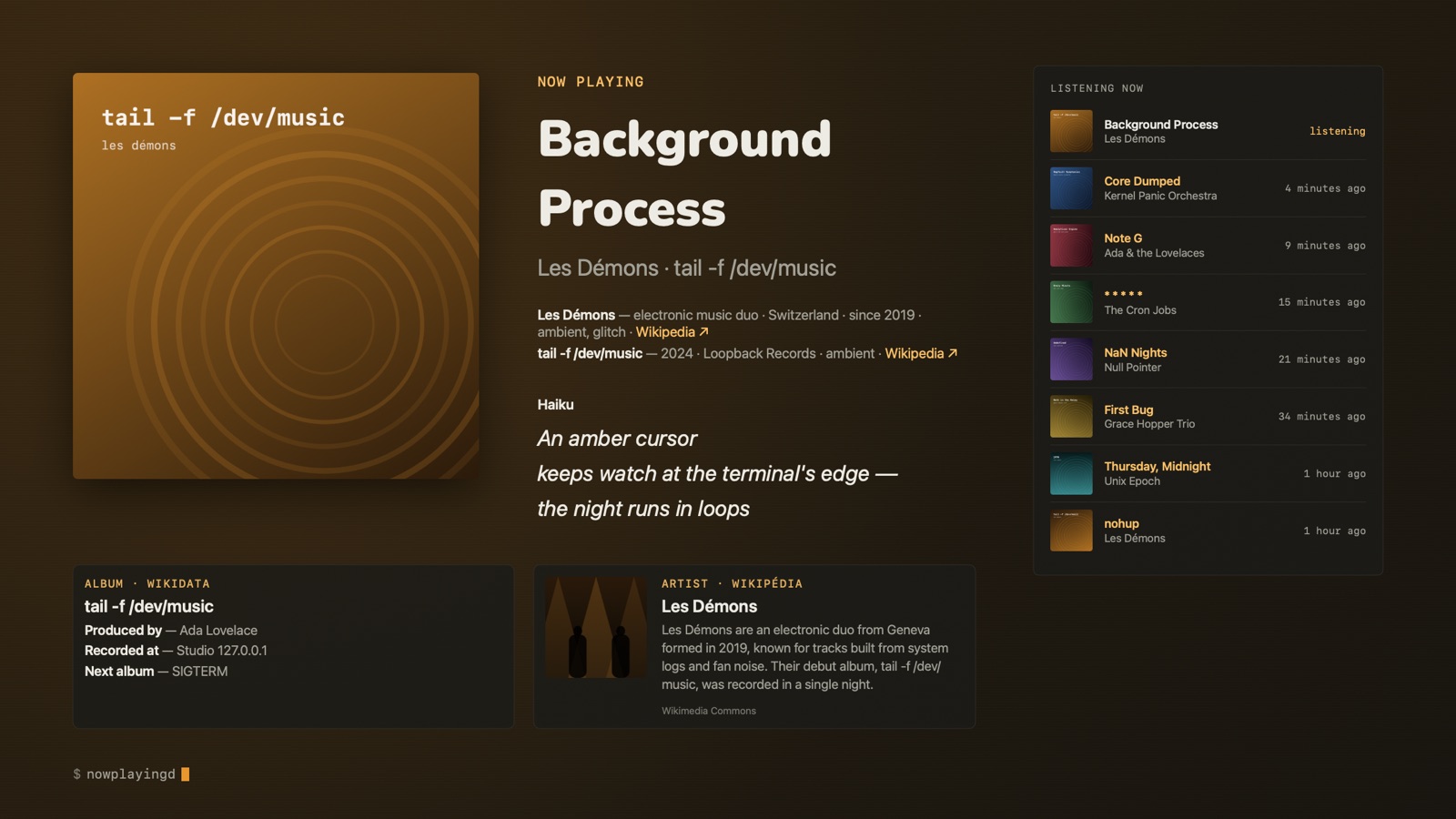
Giant artwork, and along the bottom, cards that take turns at random: Wikipedia extracts, members, studio and producers from Wikidata, a freely licensed photo from Wikimedia Commons, active years from MusicBrainz, the back of the vinyl from the Cover Art Archive, similar artists from Last.fm, a map of the artist's hometown, your story with the track (the first time, the last, the usual room), the people around the artist and their other albums, ready to play. A whole album doesn't repeat the same cards. Now and then a page fills the whole screen: the artist's photo, their hometown on the map, your stats. The display stays awake meanwhile.
A haiku for every track
Written on the Mac, in your language (or the track's, if you prefer). While the song plays, a wave runs through its letters, like the Dock under the pointer; “Reduce motion” turns it off. It is written last, once everything else is on screen; its place waits for it. On the website, Gemma 4 at Infomaniak writes the haikus; in the app, nothing leaves the Mac.
Scrobbling, done right
To Last.fm, ListenBrainz, Libre.fm, and your own server (Maloja, Koito) on top of the others, once half the track (or four minutes) has played, sent when it ends. Right before writing, staygroov re-reads the account: if another app (Plex, Sonos, Spotify) already sent it, even under a slightly different title, it holds back. Offline, scrobbles wait on disk and go out in order.
⇧⌘M
A post on Mastodon or Bluesky
Track, album, haiku, hashtags and the artwork with its alt text, in an editable preview, in your language. Bluesky connects without any password. Nothing goes out until you click “Post”.
Each record's quality
Lossless, Hi-Res Lossless or Dolby Atmos: a discreet badge tells in which quality Apple Music offers the track or the album, on the now-playing screen as in the library and in search.
In your language
Right-to-left included. Wikipedia, Wikidata and bios follow the chosen language; what's missing is translated on the Mac and labelled as such. Artist, album and track names are never translated.
No data collected
No account with me, no tracking, no analytics. Credentials stay in the keychain, your library in your iCloud. staygroov only talks to your speakers, the services you pick and open databases that only ever see artist and album names. The microphone turns on only for Shazam, when you decide.
tail -f /dev/music
staygroov --sources
Where the information comes from
The same information as in the app (Settings › Sources): every service it uses, and what for.
- Sonos — Reads what plays on your speakers, on the local network, without an account or the cloud. Playing again, the controls, the rooms and the queue go through it too.
- Apple Music — The catalog (search, covers, composer and work, audio quality), your library and your downloads, and playback on this device. Only with your permission.
- Apple Music and Spotify on the Mac — The hub follows what these apps play on the Mac.
- Last.fm · optional, free — Imports your listening history and scrobbles what you play; also artist biographies and listener counts.
- ListenBrainz · Libre.fm · optional — Import and scrobble, like Last.fm; your own scrobble server works too.
- MusicBrainz — Who plays and who wrote it: musicians, sessions, producers, samples, composers and works, found by the recording's ISRC.
- Wikidata — Facts about artists and albums: where they come from (the map), genres, labels, members; and where your radios broadcast from.
- Wikipedia — Summaries of artists and albums, in your language when the article exists.
- Wikimedia Commons — Free photos of artists and composers, with their author and license.
- Cover Art Archive — The back of the cover and the booklet, when they exist.
- iTunes Search — Only as a last resort, when the Apple Music catalog isn't available: finds an album or a song to play it on Sonos, and missing covers.
- Discogs · optional — Your record collection: the pressing, its tracklist and its credits.
- Plex · optional — What your Plex players are playing, read by the hub on your own server, and the albums on your Plex servers, in the library.
- Shazam · optional — Identifies a song when you ask: the microphone only turns on when you tap, until the song is found.
- Apple Intelligence — Writes the haiku, on the device: nothing leaves it.
- Translation — Translates on the device, with Apple's translation, the backstage, the artist and album descriptions (Apple Music, Wikipedia) and the genres, when they are not in your language. Nothing leaves the device. The original language must be downloaded in the device's translation settings; otherwise the text stays in its language.
- TuneIn — The page of the radio station you listen to on Sonos.
- SoundCloud — The artwork of your SoundCloud plays in the history, from its public oEmbed: the image only.
- Mastodon · Bluesky · optional — Shares what you are listening to, when you ask.
No account with us, no server of ours: each request goes from your devices straight to the service. Your sign-ins stay in the keychain. When a source is unsure, staygroov shows nothing rather than something wrong.
otool -L staygroov
For the people who code: what's under the hood. No server, no third-party package.
The Mac, and nothing else
- Swift 6 and SwiftUI, strict concurrency, macOS 26 minimum. A
MenuBarExtra, no Dock icon. - Sonos over UPnP: Bonjour discovery (
_sonos._tcp), then SOAP requests to port 1400 on each speaker (GetTransportInfo,GetPositionInfo,GetMediaInfo), and UPnP event subscriptions (GENA) so the speakers report every change themselves. No Sonos account, no Sonos cloud. - Adjustable polling: 15 s to 5 min for online services, 3 s to 1 min on the local network.
- Accounts in the keychain. Last.fm and Plex are authorised in the browser; the app never sees a password.
- SwiftData and CloudKit: the library lives in each person's private iCloud database; the household log stays on the hub Mac. Writes happen off the main thread: the app doesn't freeze during an import.
On-device AI
- Foundation Models: the haiku is a
@Generablestruct, three lines, cached per track. No Apple Intelligence on the Mac: no haiku, and no error either. - Translation: bios and backstage translated on the Mac, in one batch, cached.
- TextRenderer for the Dock wave: each glyph of the haiku is drawn on its own, scaled up to 1.7× and tinted amber as the wave passes, while its neighbours make room.
- Wikidata, MusicBrainz, Wikipedia: when there are namesakes, it abstains. A silent or ambiguous source gives no card rather than a wrong one.
cat ROADMAP.md
-
Mac, iPhone, iPad, Apple TV · done
1.0: every screen
One hub, many displays. An always-on Mac mini follows every source, writes the haikus and is the only one that scrobbles; the other Macs, the iPhone, the iPad and the Apple TV show what it publishes. Same idea as the Agence in fornews.ai.
-
on the App Store since 13 November 2026 for iPhone and iPad · Mac and Apple TV awaiting review by Apple
1.1: the listening library
- Remember: your record collection builds itself from what you play, in your iCloud; your story with every track; history import, Discogs collection, the albums on your Plex server, your artists’ records you have never played; your radios, playable again and pinned on the map where they broadcast from.
- Play again: an album, a track, a work, in one gesture, on Sonos or in Apple Music, or through its original service (Qobuz, Plex, YouTube Music, SoundCloud); tap a track in a list; on the Apple TV itself, with an Apple Music subscription; a fourth tab, “Play”, with your Sonos radios, your radios and the whole Apple Music catalog, its radio stations, “Play next”, adding to your Apple Music library, a list of speakers that makes it easy to pick yours and the audio quality (Lossless, Hi-Res, Dolby Atmos); your downloaded music playable offline.
- Documented by genre: classical (composer, work, performers), jazz (personnel, session, standards, original pressing), hip-hop (production, playable samples), electronic (label, remixes), rock (the band at the time of the album), film music (the film), world music (the instrument, the tradition), chanson and pop (who wrote it, other versions); the album backstage, its guests and production; the credits of every track, with the musicians’ photos; around the artist, their members, bands and collaborations from MusicBrainz, and their other albums, ready to play; a world map of your artists; each album introduced by Apple Music or Wikipedia, translated on the device; discographies sorted by type (studio, live, EP, single), newest first.
- Follow: Shazam on demand (the microphone only turns on when you decide), HomePod, your own scrobble server; “Where it plays” counts every Sonos speaker, the turntable’s line-in, the iPhone, Bluetooth and AirPods; the hub restarts on its own if it stops.
- Watch: Apple Watch, Lock Screen and Dynamic Island, iPhone Duo; long-press effects, across both halves of the iPhone Duo, and reveals on Apple TV; on the Apple TV, with the remote, the library with its credits, the map, the history, Apple Music and the choice of source.
-
in beta (TestFlight) · the next update, first for iPhone and iPad
1.1.2: your records
- Play a vinyl or a CD: “I’m playing a record”, at the top of the Play tab or on the now-playing screen; each track is recognised with the microphone, which turns on only because you decided so, and goes into your Memory as a play of your record; its place on the side, from your Discogs pressing or your photos; a notification at the end of the side to flip the record; the Apple TV shows the record that is playing.
- Photograph your records: the sleeve, the back, the insert and each side, in any order; each photo is recognised, trimmed, straightened and filed by itself; your record without Discogs, even a CD. Your photos illustrate the album when it plays, on Sonos or in Apple Music too.
- Read your records: the sides, the tracks and their length, the credits and the lyrics of your insert, translated on the device line by line; in the backstage, the “Your record” card, readable offline; everything shows up in search; the complete album report as a single Markdown file, with your photos, all the backstage of the artist and the album (Wikipedia, Wikidata, MusicBrainz, Last.fm, ListenBrainz, Cover Art Archive, their photos and credits) and your Discogs edition (country, date, label, sides, credits); readable in md Viewer.
- Find your records: Memory → “Records”, your vinyls and CDs, from your Discogs collection and the ones you photographed.
- Flip through your records, like at the record shop: three wooden crates, vinyls, CDs and cassettes, each at its own size (the CD jewel case, the cassette and its card); flip with your finger, jump to a letter’s divider, and a die picks an album at random; rest a second on a sleeve and the record plays on the iPhone or iPad, from the first track to the end if you stay on it (with an Apple Music subscription; otherwise a preview), never on the speakers, without stopping what plays elsewhere, and a button on the crate turns it off; sleeves in very high definition; each tap turns a page of the record’s photo album: the back, the booklet, the disc found in the Cover Art Archive, then your photos; taken out of the crate, the record plays, gets photographed, corrected (artist and album, checked in Apple Music) and gives its report.
- Watch: the turntable view in full screen, the sleeve and the record spinning at its real speed, in the sleeve’s colours, the tonearm following the music; on your own photographed turntable, or on a half-folded iPhone Duo; square sleeve corners everywhere.
-
planned
1.2: a wider library
Smart album lists: the system’s (by genre, by the days and hours you listen, by source (Sonos, iPhone, iPad) or by speaker (one speaker, the HomePod, headphones), film music, never played, your collection not yet played, by instrument from the musicians’ credits: “with a saxophone”…) and yours, described in a few words to the model running on the device; your Spotify history import; your file collection and the analysis of its sound; a Mac screen saver, downloadable from this site; an MCP server on the hub that opens your record collection to your assistants (Claude and other MCP clients), off by default, read-only; through that MCP server, agents that DJ from your listening habits, only if you allow them, in the rooms you choose; a page for each work with its recordings, the ones you have played and others to discover in Apple Music; a notebook to write what you think of an album; widgets from your memory (“a year ago, you were playing…”); an export of your whole memory, so it is never locked in.
-
planned
1.3: the house
Your Plex listening history and Plex albums playable on Sonos; every Sonos room at a glance; sleep timer and queue; a radio directory; a stand-in hub when the Mac is off; a party mode on Apple TV, where your guests add tracks from a QR code without mixing anything into your memory.
-
planned
1.4: rediscover
staygroov reminds you of a record you have not played in a long time, with a model that runs on your device; rediscover together; routines for the house; new releases from your artists, only the ones you really play; your records’ anniversaries.
-
planned
1.5: beyond vinyl and CD
Playing a vinyl or a CD from start to finish arrives in 1.1.2. Next come the hi-fi system and the cassette, and PDF booklets next to your photos. Being looked into, still with the microphone on only when you decide: the tempo of a track, and whether it is sung or instrumental, for your lists.
-
ongoing
One profile per genre
Done in 1.1: classical, jazz, hip-hop, electronic, rock, film music, world music, chanson and pop. More will follow, one or two per version. Next: opera (the act, the character singing, the cast). Each profile has its own reliable sources and abstains when in doubt.
No dates are announced: each version ships when it’s ready. Price: free download, no trial, no subscription. Free forever: following everything that plays, the backstage, the full screen and Apple TV, the last 30 days of history, everything from Last.fm (scrobbling, importing your history, statistics), and playing again. Your music memory (the library, your whole history, ListenBrainz and Apple imports, the map, the statistics) unlocks with a one-time purchase of CHF 15 (CHF 9 at launch, until 25 December 2026), on all your devices and for your family. The purchase includes every version to come; genre profiles and new sources to follow stay free. Without it, your listens keep being saved in your iCloud: the day you unlock the memory, your whole past appears. Privacy: no account with us, no server of ours, no tracking; your music stays in your iCloud.
staygroov --version
1.1 is on the App Store since 13 November 2026 (iPhone and iPad; Mac and Apple TV once Apple has approved them). This page is the reference, and I'll update it at each step. Help and privacy are here: help · privacy policy.
A question, a speaker that doesn't show up, an idea for the roadmap? The easiest is to reach me on Mastodon.