patrick@fribourg:~$ man nowplayingd
nowplayingd
A scrobbler and a music visualizer, to get the most out of every listen.
A daemon that runs tail -f on my music: it hears every source in the
background, from the living-room speakers to the iPhone on the train, logs every listen to
Last.fm and ListenBrainz, and puts it on stage: animated cover, backstage, lyrics in time and a
haiku written for the track. On the Mac, the iPhone, the iPad and the TV.
status: beta version: 1.0 beta, not on the App Store yet → looking for beta testers tested every day: Sonos and Apple Music account: Last.fm (free, required) requires: macOS 26, iOS 26, iPadOS 26, tvOS 26
nowplayingd --help
How to use it, in six steps. Requirement: a Last.fm account, free. That's where nowplayingd scrobbles, and how the iPhone and Apple TV know what's playing when the hub isn't around. ListenBrainz, Mastodon and Bluesky are optional. Scrobbling your Sonos speakers needs a Mac: the iPhone, iPad and Apple TV show them, but the Mac is the one that listens all the time and sends the plays to Last.fm.
- Install. Join the beta on TestFlight, then install nowplayingd on your Mac, and if you like on your iPhone, iPad and Apple TV.
- Start on the Mac. The assistant walks you through it: connect Last.fm (and ListenBrainz), pick your sources (Sonos speakers, Apple Music, Spotify). nowplayingd then lives in the menu bar.
- Make the Mac your hub. Settings → Role → Hub, if the Mac stays on: it listens, scrobbles (Sonos included) and posts for your other screens. The hub keeps the Mac from going to sleep on its own; while the Mac is off (or a MacBook's lid is closed), Sonos plays aren't scrobbled.
- Pair your screens. On the iPhone, iPad or Apple TV, on the same Wi-Fi: open nowplayingd, pick the hub and type the 6-digit code shown on the Mac. Only once.
- Watch. On the Mac, ⌥⌘N opens full screen. On the iPhone or iPad, the full-screen button, or turn the device. The Apple TV is always full screen; the remote shows the controls.
- Share, and take it with you. The share button posts the track to Mastodon or Bluesky (one tap at home, through the hub). Away from home, the iPhone scrobbles what Apple Music plays by itself.
Spotify tip on iPhone. iOS doesn't let any app read what Spotify is playing. The simplest way: link Spotify to Last.fm inside Spotify itself (Settings → Apps → Last.fm). Spotify then scrobbles on its own, and nowplayingd shows the track through Last.fm, but without the position in the track (no countdown, no synced lyrics). On the Mac and on Sonos speakers, Spotify is read and scrobbled directly.
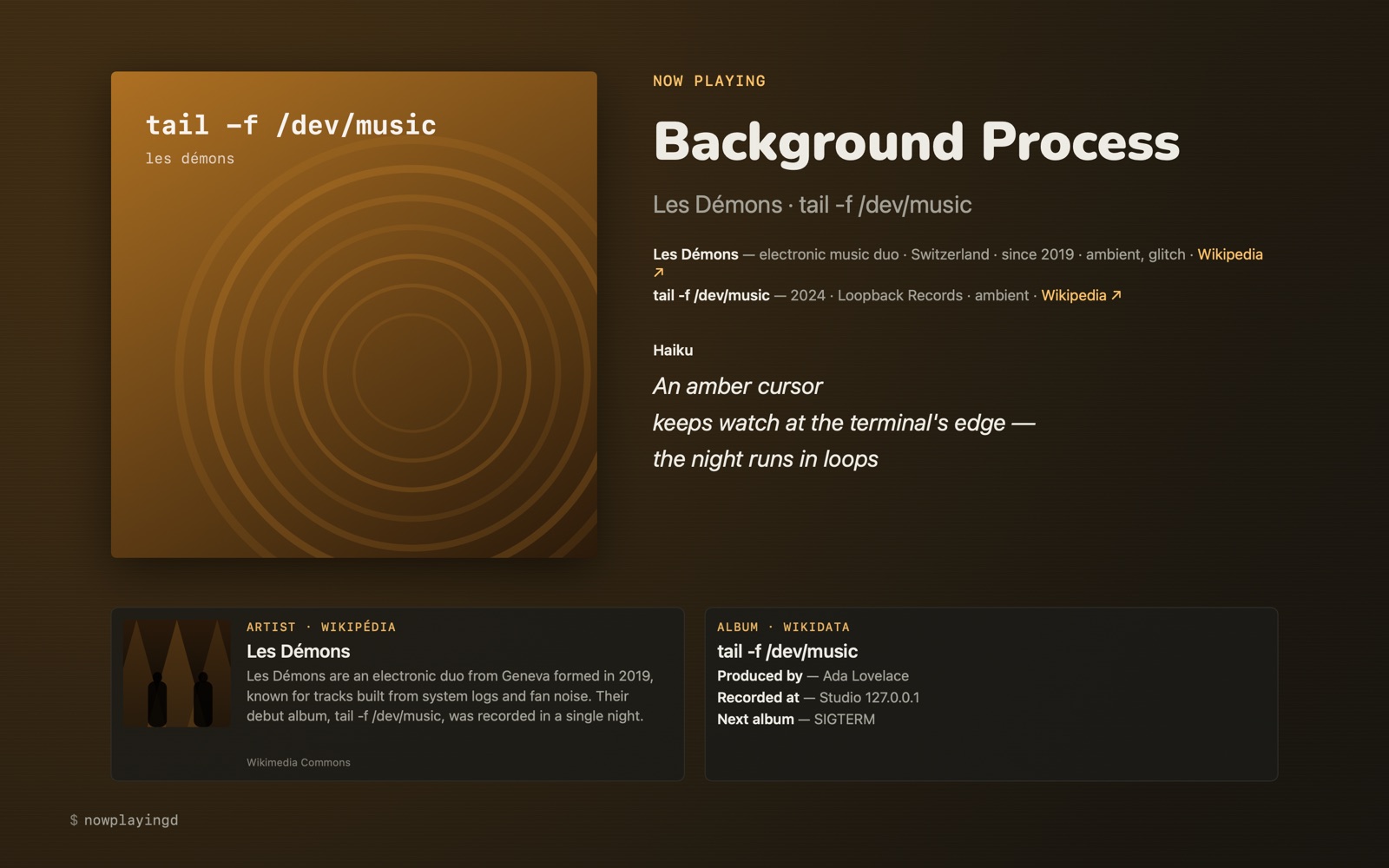
ls screenshots/
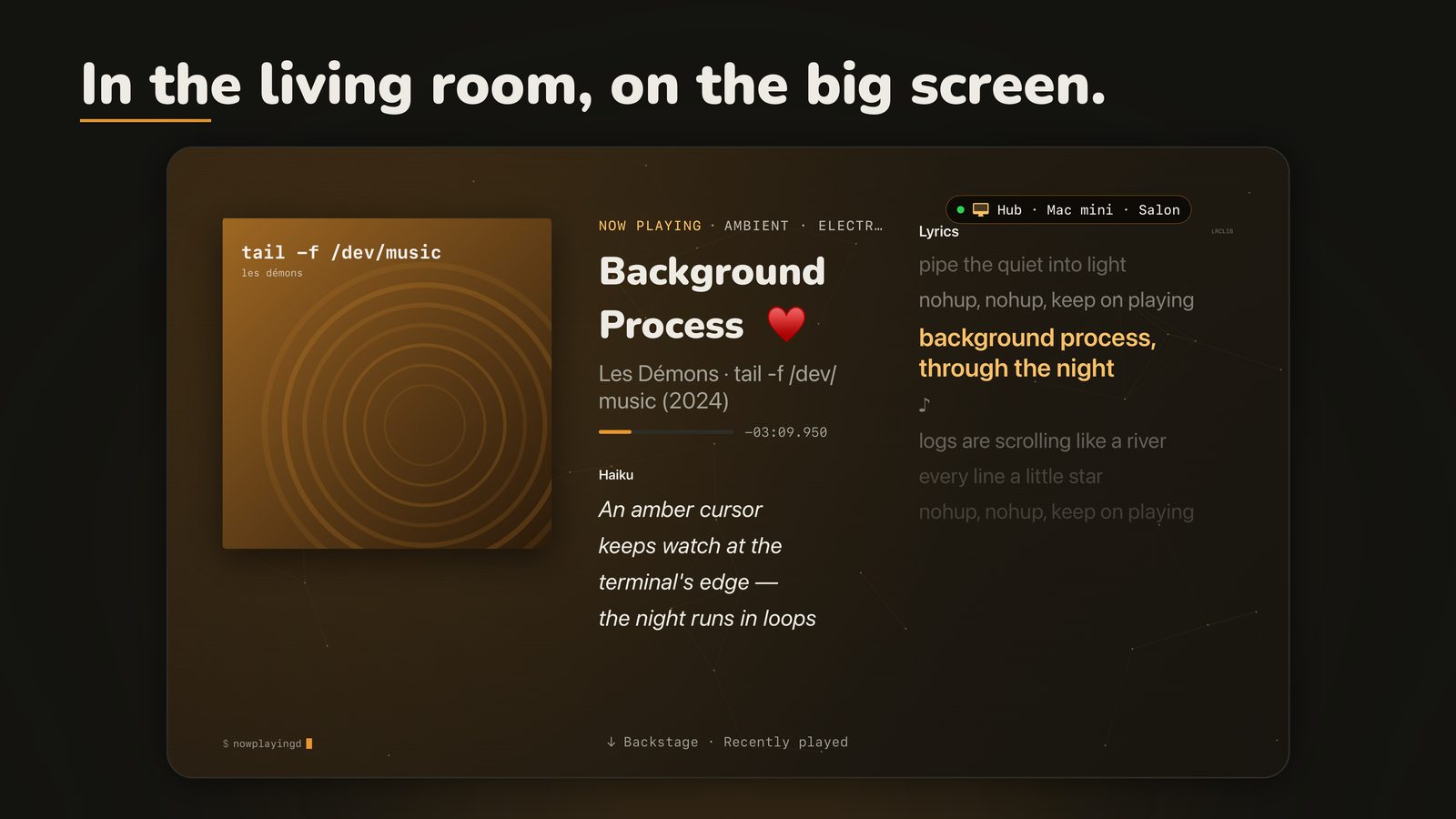
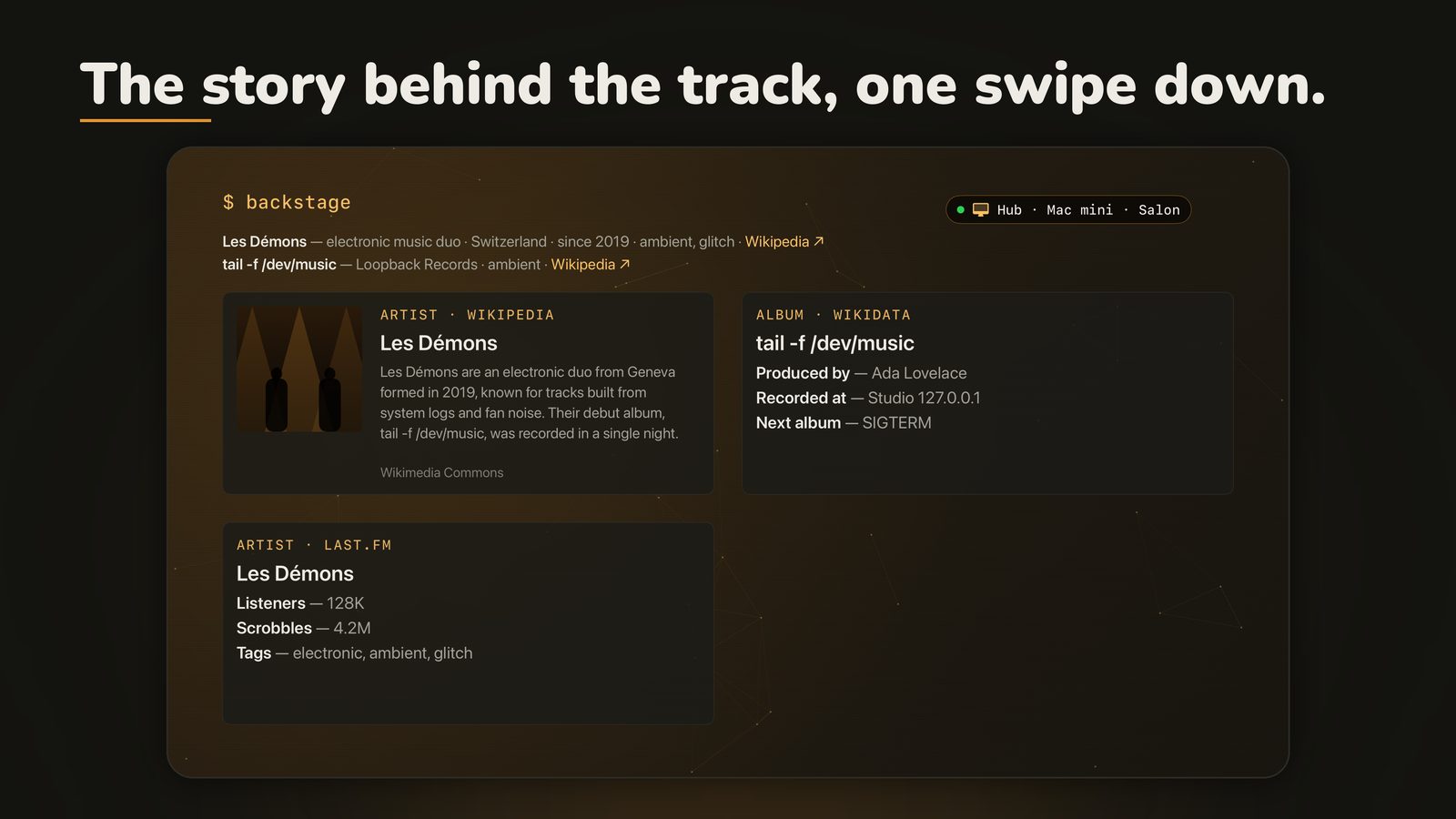
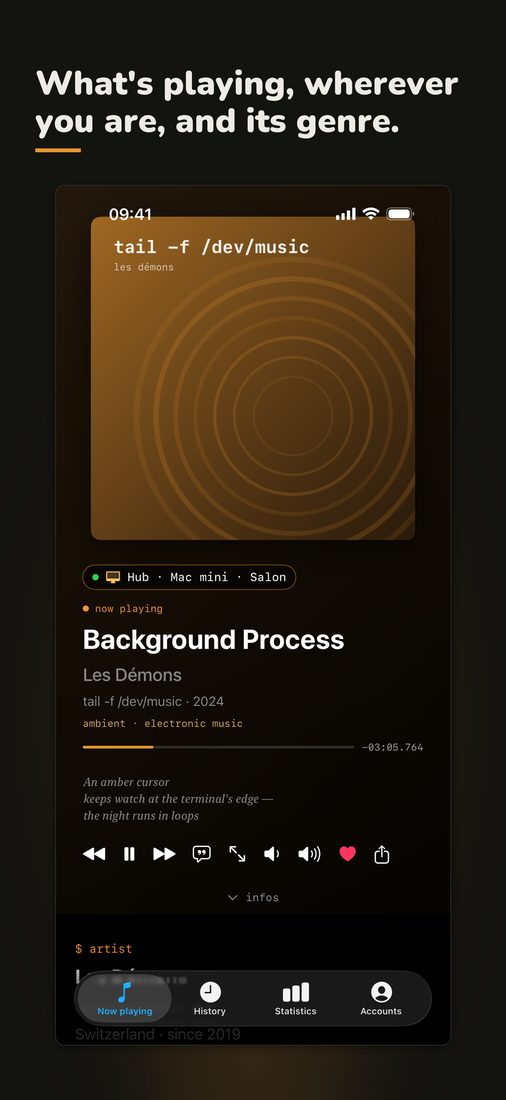
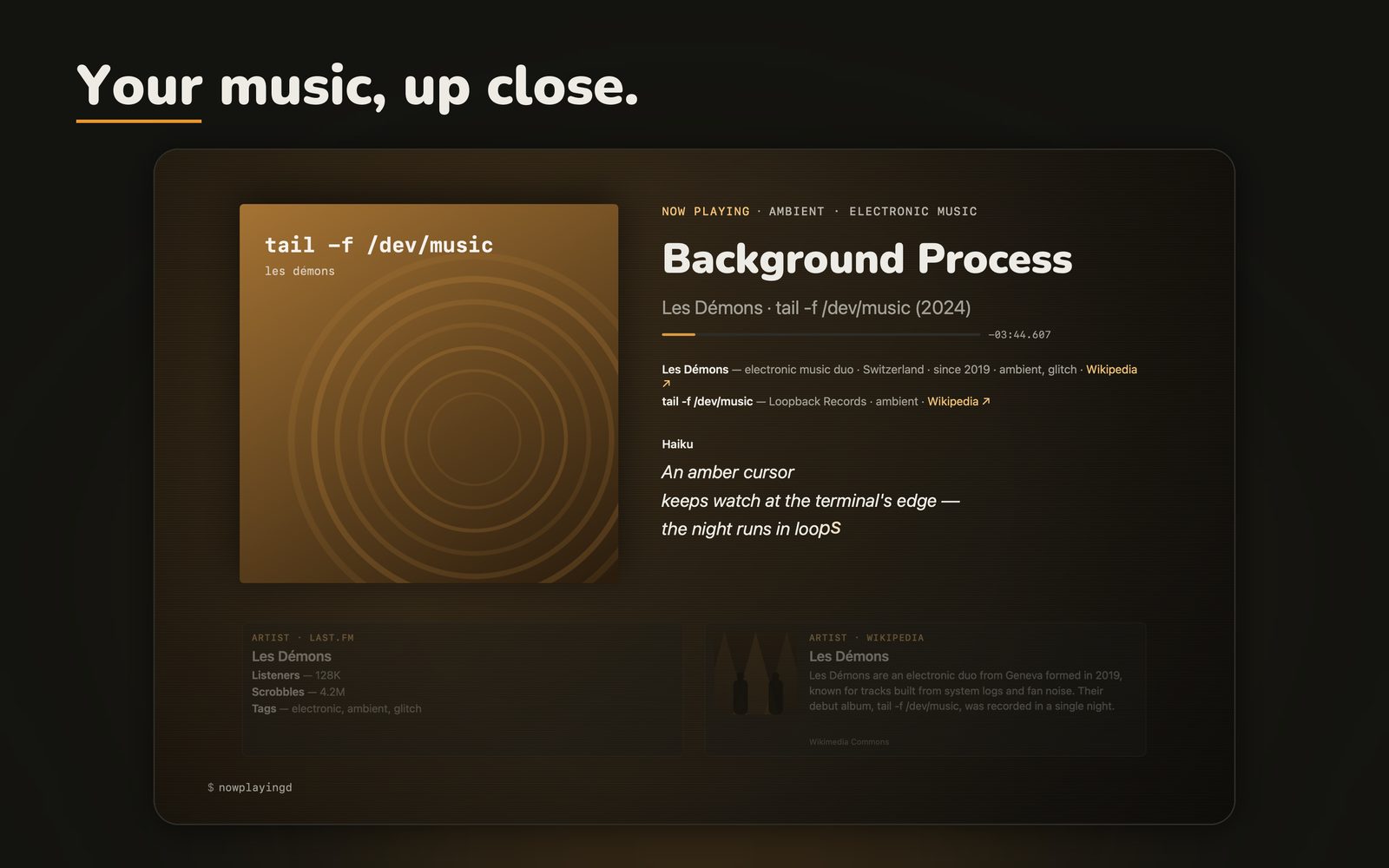
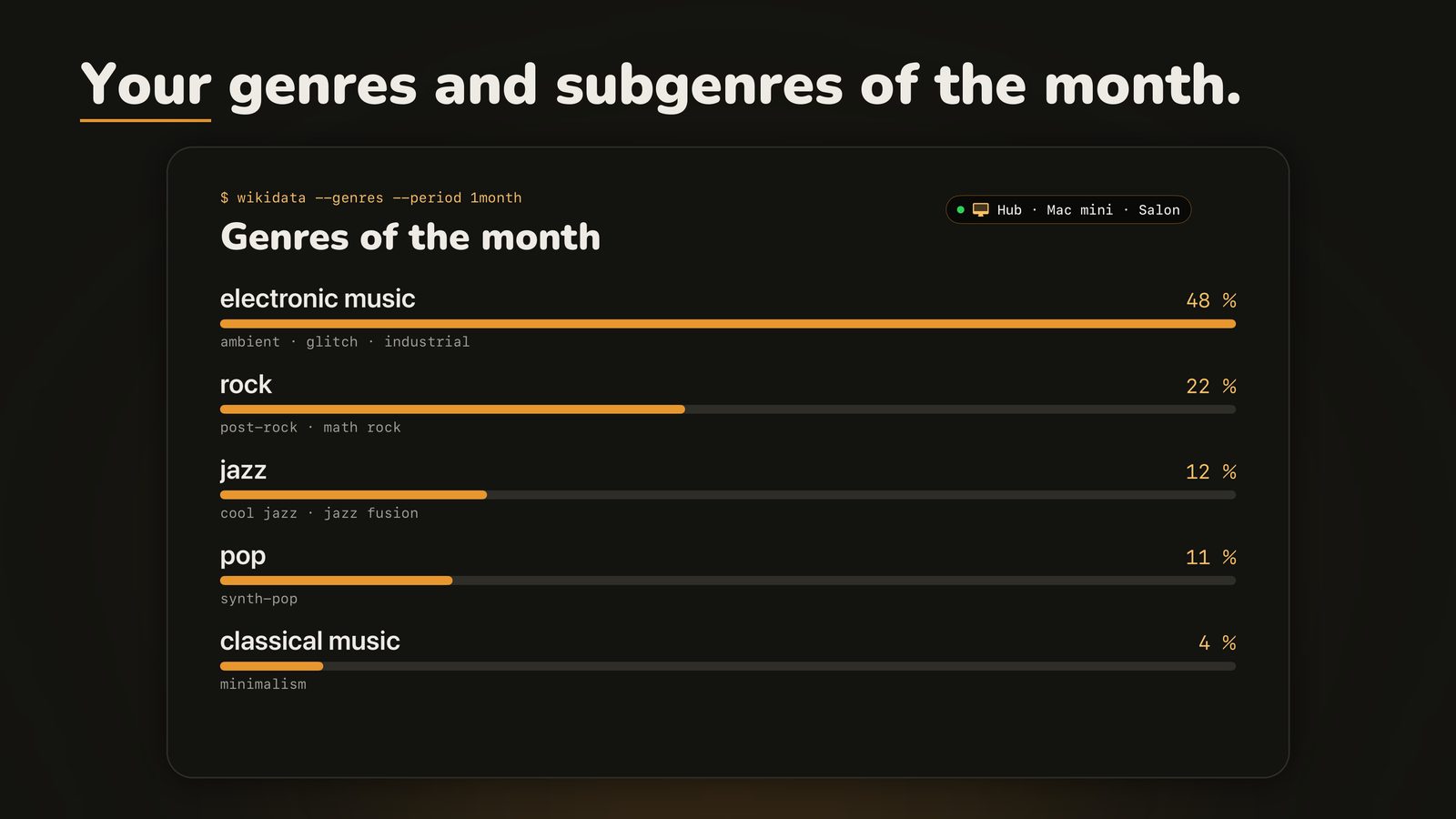
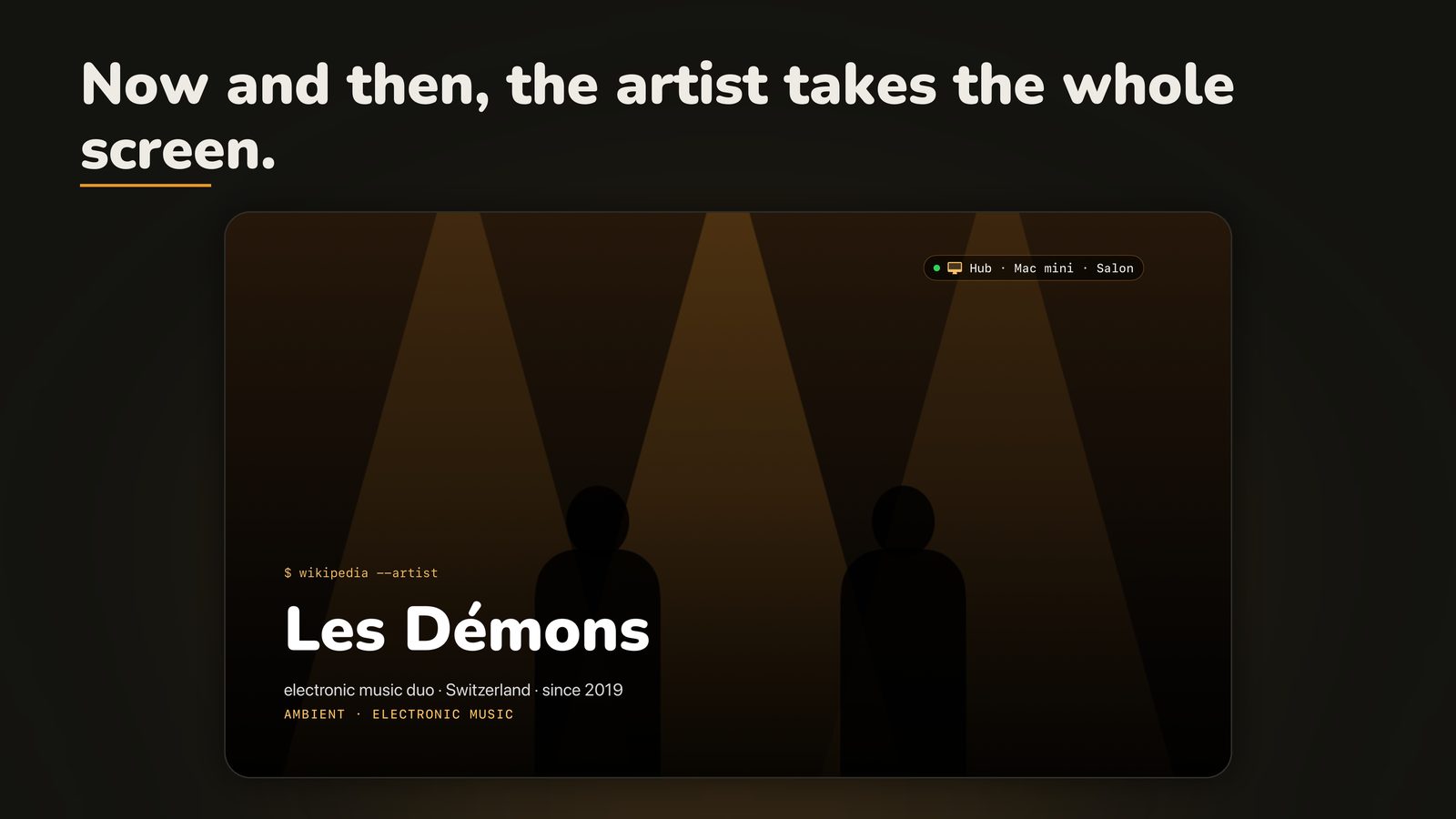
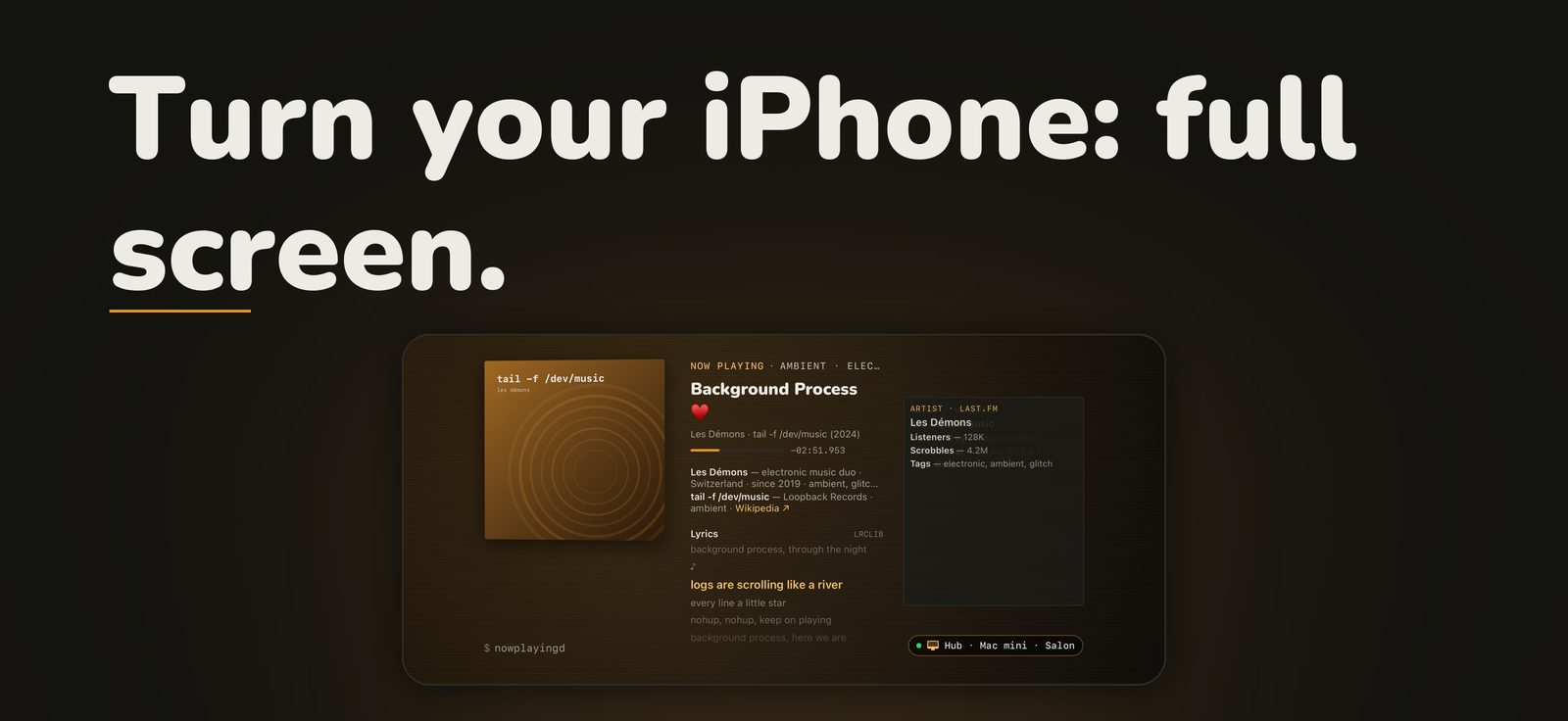
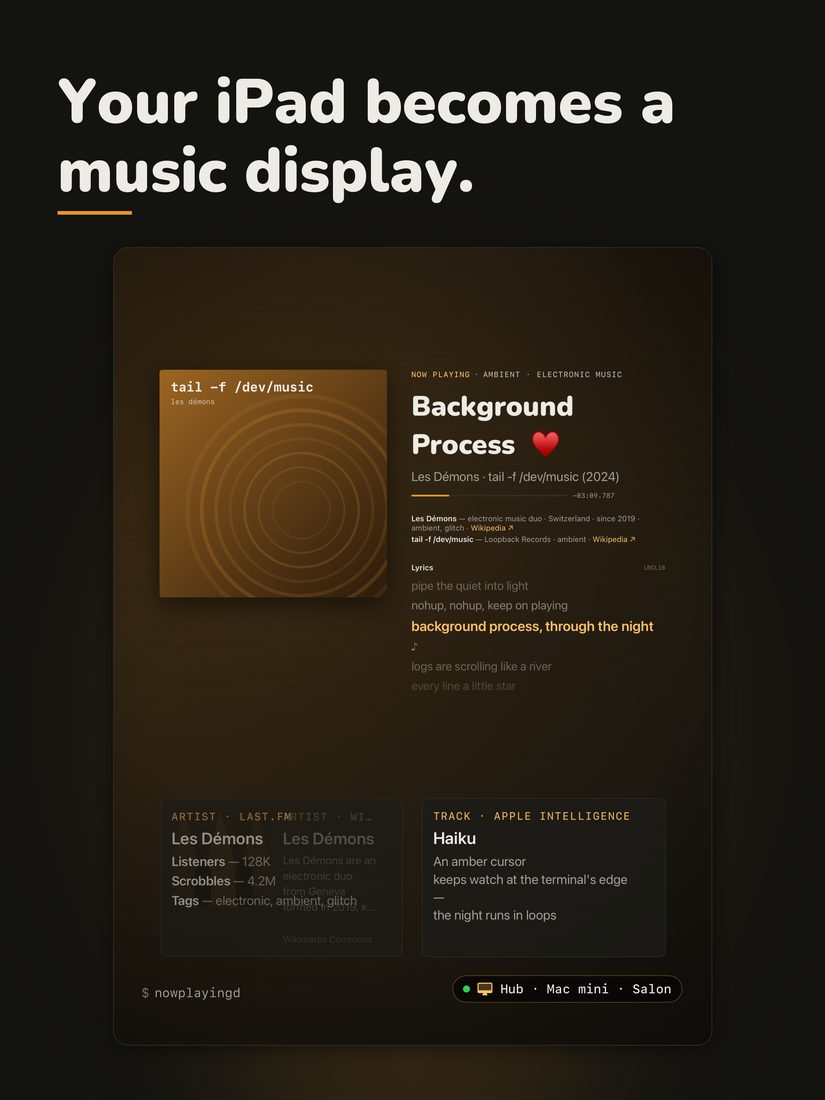
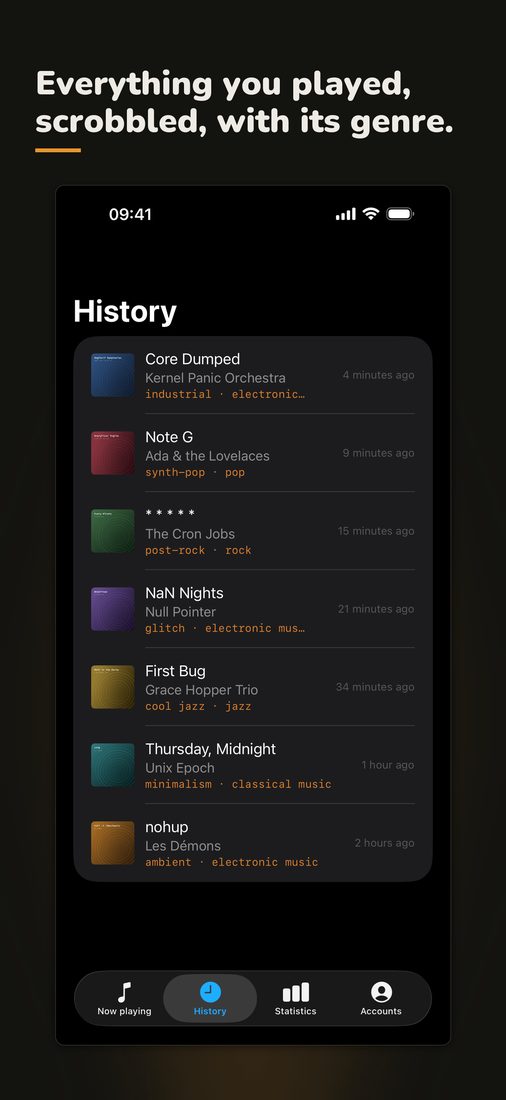
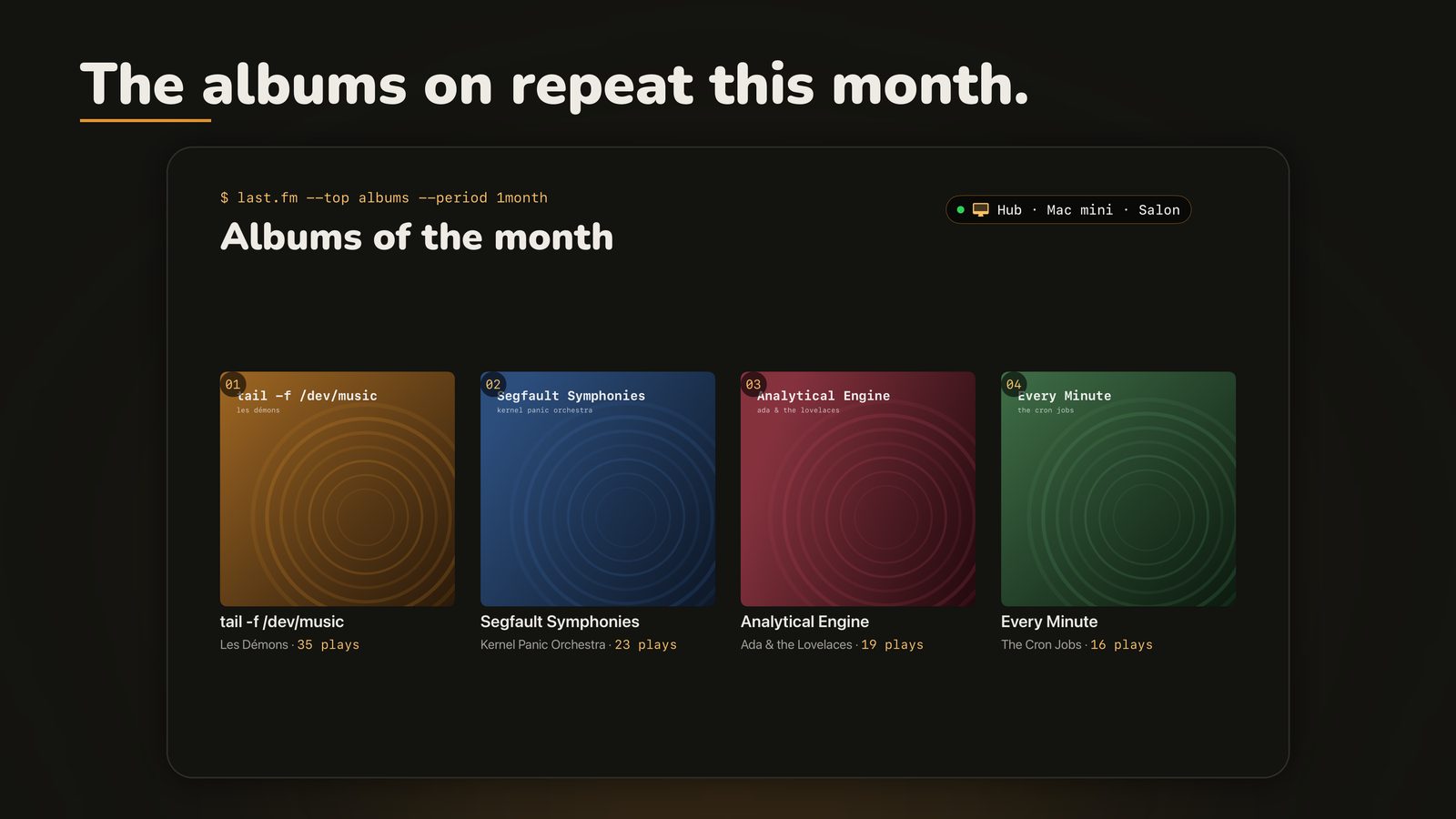
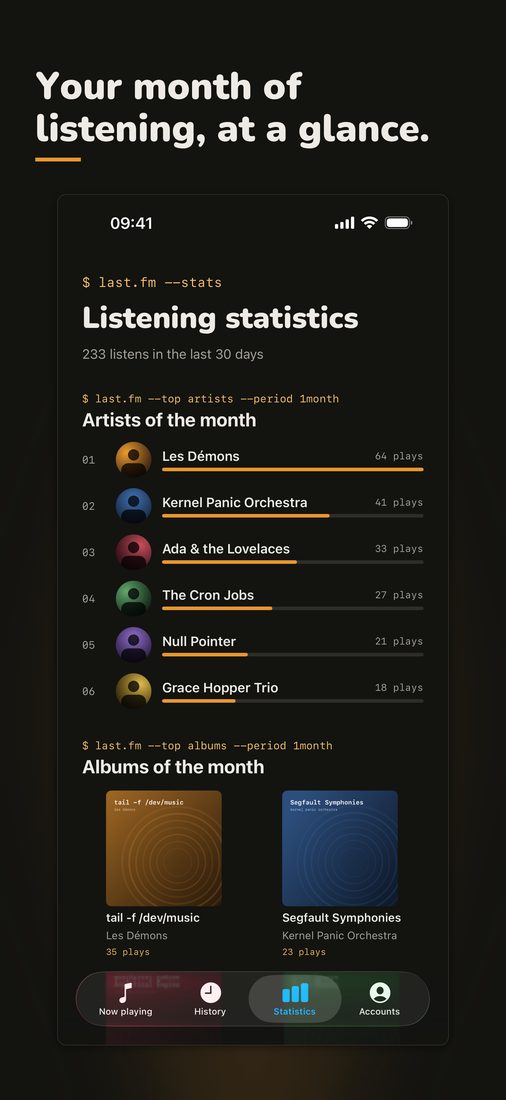
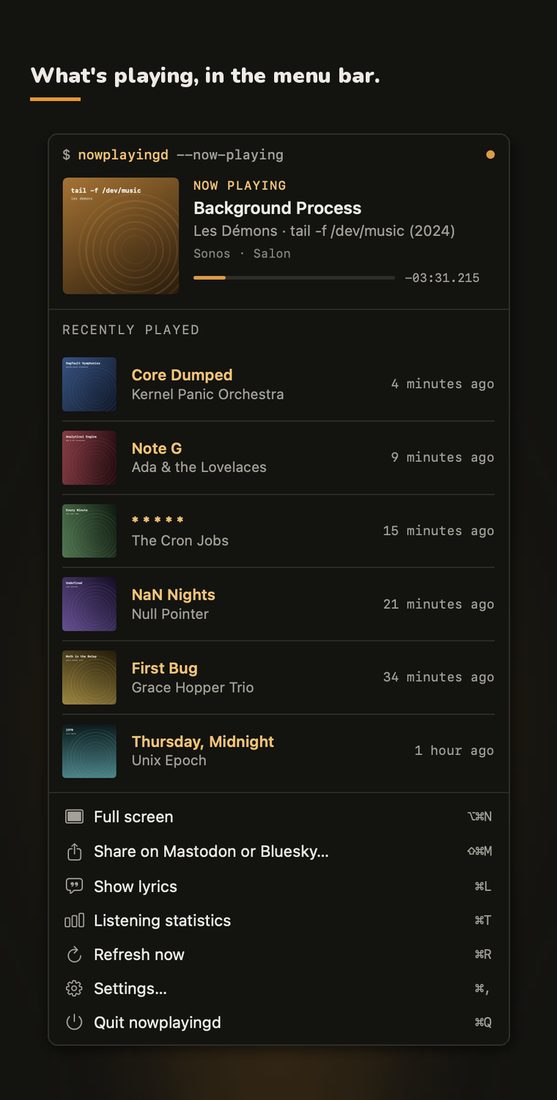
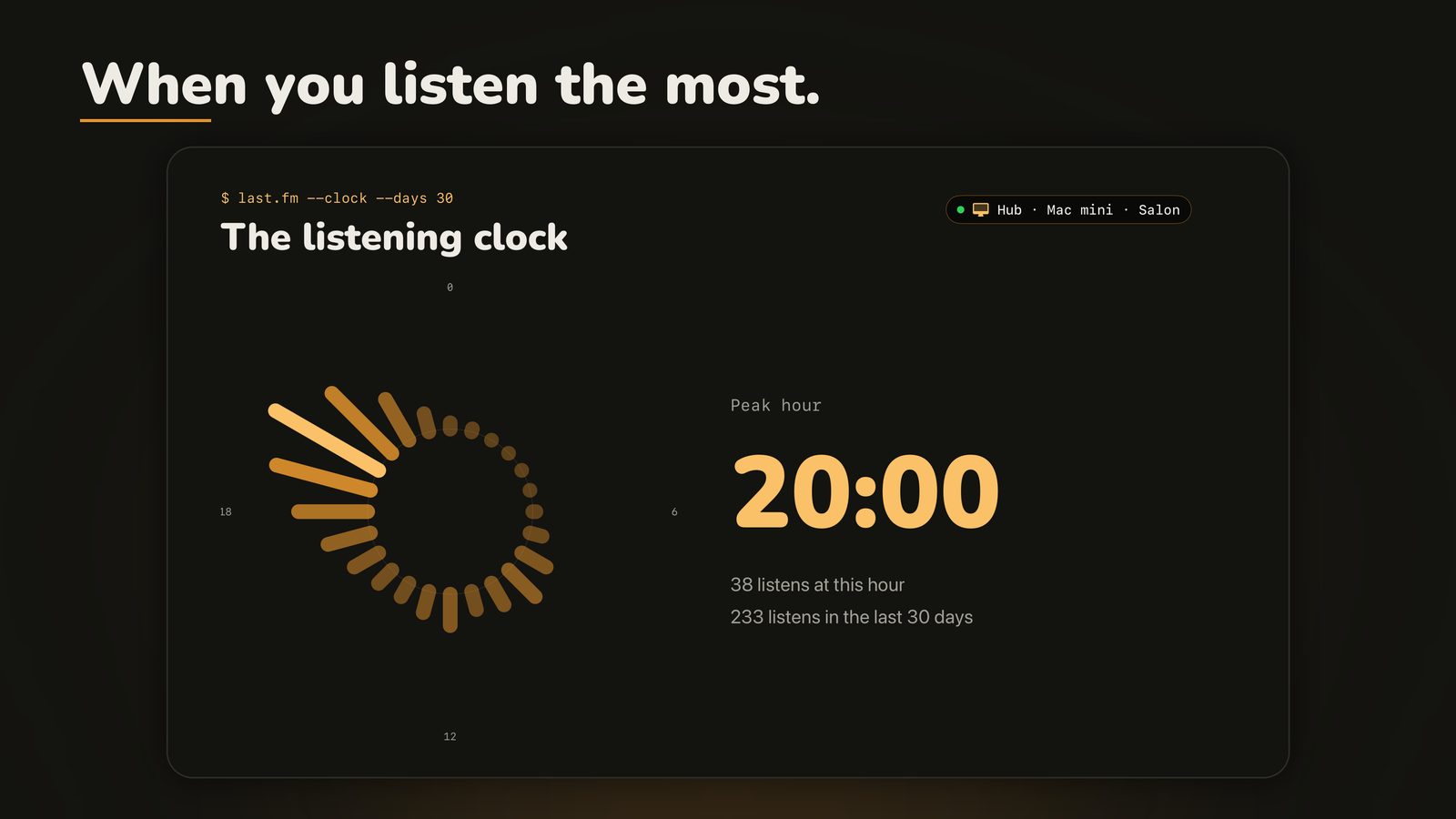
Track, band and covers invented for the demo: no copyrighted work. Tap an image to enlarge it.
nowplayingd --everywhere
The scrobbler hears everything; the visualizer shows everything. Both halves of nowplayingd live on every device, each in its own way:
- Mac: the menu bar, and the full-screen now-playing wall (⌥⌘N).
- iPhone: at home, the hub's display; on 5G, what the iPhone itself plays, and Apple Music scrobbling, library and streaming. Widgets on the Home Screen, the Lock Screen and in StandBy, with the cover coming alive minute by minute.
- iPhone and iPad in landscape: a split screen, the track on one side, lyrics and backstage on the other; one button opens the Mac's full screen, as is.
- iPhone Duo: folded, an iPhone; unfolded, the screen splits on both sides of the fold.
- Apple TV: full screen in the living room, driven by the remote.
last.fm --stats
My listening statistics, like on the music page, on every screen. Artists and albums of the month, the listening clock, the rooms where music plays and radio in the background. No service knows the last two: the hub keeps the journal. And now and then, in full screen, a statistics page slides by.
cat ORIGIN.md
It started with the “now playing” frame on the home page of this site. A Python collector on my Mac mini asks Last.fm every 30 seconds what's playing, listens to the Sonos speakers in the house, looks the artist up on Wikidata and has a haiku written about the track. The whole pipeline is described (in French) in the backstage page, and what it leaves behind on the music page.
nowplayingd is that frame turned into a real Mac app: no Docker, no collector, no server, and for anyone, not just my own Last.fm account. Same colours, same Nunito headings, same amber.
nowplayingd --role
One Mac does the work, the others just show it. In Settings → Role, an always-on Mac mini becomes the hub: it reads every source, finds the lyrics and the backstage cards, writes the haiku, and is the only one that scrobbles, so nothing is ever sent twice. The iMac and the MacBook become displays: they show what the hub publishes, menu bar and full screen included, and send play, pause, next and “love” back to it.
Under the hood: Bonjour (_nowplayingd._tcp) to find the hub, a WebSocket
that pushes every change, a six-digit code typed once to pair, then a key kept in the keychain.
The hub starts at login, keeps the Mac awake and writes a heartbeat every minute. If it goes quiet,
a display falls back to its own sources, without ever scrobbling. No account, no cloud: local
network only. Same idea as the Agence in fornews.ai, and as Roon's core.
nowplayingd --fx
The full screen never stands still. While a track plays, the artwork goes through sixteen effects, one every twenty seconds, fading through neutral in between: slow zoom, 3D tilt, amber glow, sheen, a vinyl spinning behind the sleeve, a checkerboard whose tiles flip at random, pulse, sway, full turn, hue drift, chromatic aberration, CRT scanlines, venetian blinds, ripples, spotlight and glitch. The starting point changes with every track.
The whole screen joins in: an amber wave rolls out of the artwork and the image glitches at every new track, a beam of light sweeps across every two minutes, everything breathes ever so slightly, and one background mood at a time drifts behind the frame: vinyl dust, aurora, constellation or CRT. Pause, and the screen switches off like an old TV, then fades to dark black and white until the music comes back.
Also new: a countdown to the millisecond (-03:44.588) next to an amber
progress bar, and play, pause, next that show up at the bottom when you move the mouse. Every
effect can be turned off in Settings, and all of them stop when macOS reduces motion.
sonos --subscribe
The speakers speak first. Most apps ask Sonos speakers what they're playing every few seconds, again and again, even when nothing changes. nowplayingd subscribes once to the UPnP events of every speaker on the network, like the Sonos app itself does. From then on, the speakers tell nowplayingd: pause, play, next track show up in a fraction of a second, and the network stays quiet when nothing happens.
How it works: a tiny HTTP server on the Mac, a SUBSCRIBE to each
speaker's AVTransport service, a NOTIFY back at every change, renewed every
30 minutes. Polling stays as a safety net, every 10 s. Local network only, no Sonos account, no
cloud. Below, the real log from my house, this afternoon:
$ nowplayingd --verbose
[17:49:24] sonos: événements attendus sur le port 49xxx
[17:49:24] sonos: abonné aux événements de 192.168.1.x
[17:49:24] sonos: premier événement reçu (192.168.1.x), relève espacée à 10 s
[17:49:24] sonos: abonné aux événements de 192.168.1.x
[17:49:24] sonos: abonné aux événements de 192.168.1.x
… 9 enceintes
[17:49:25] en écoute [sonos · Move 2]: The Young Gods — Toi du monde (Second Nature)
nowplayingd --verbose
What 1.0 does. It's in beta, so the list may still move a little before release.
Everything that plays
Sonos speakers on the local network, radio included: the station, its logo, and the song once it's recognised. Apple Music and Spotify on the Mac, with the audio output (AirPlay, Bluetooth). Last.fm and ListenBrainz for whatever plays elsewhere.
At a glance
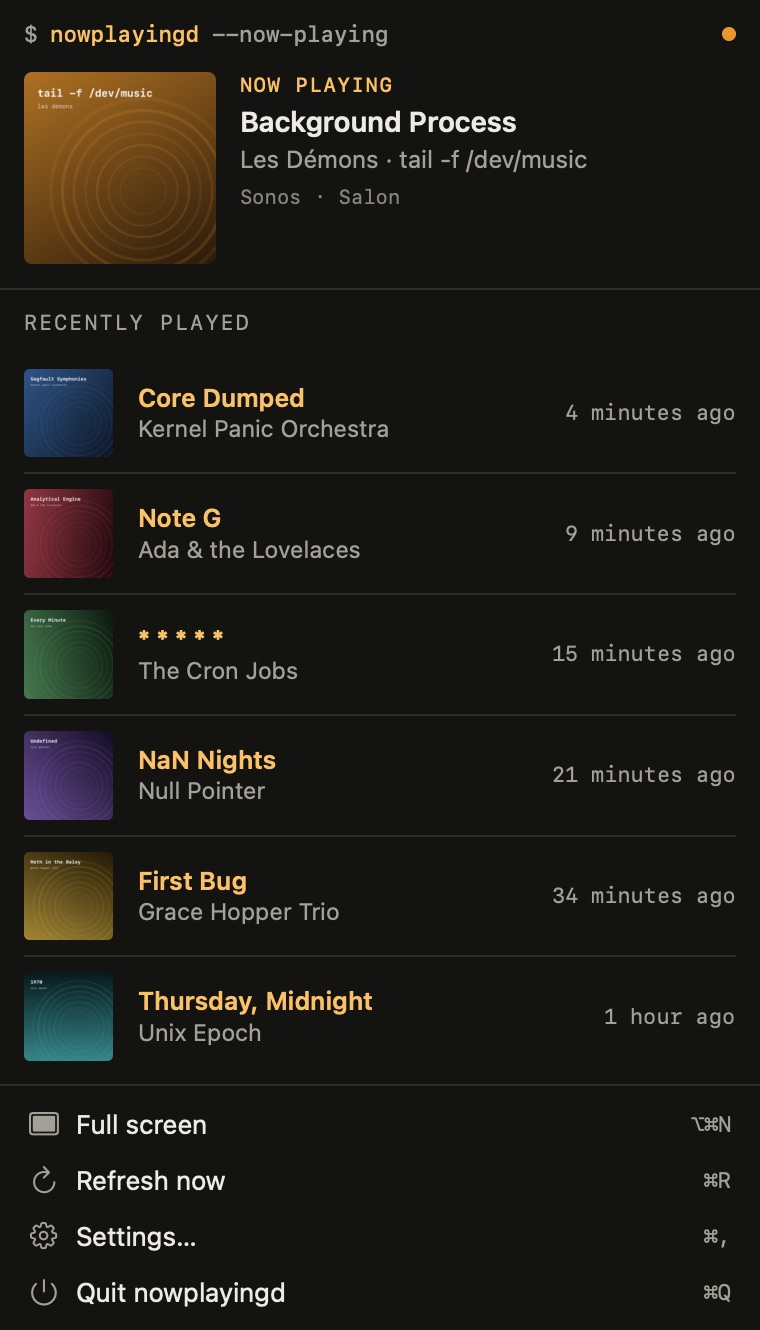
The current track, its artwork, the room or audio output, and the history of every source, in order. Play, pause, next, Sonos included, and “love” on Last.fm and ListenBrainz. A widget, in three sizes.
⌥⌘N
Backstage
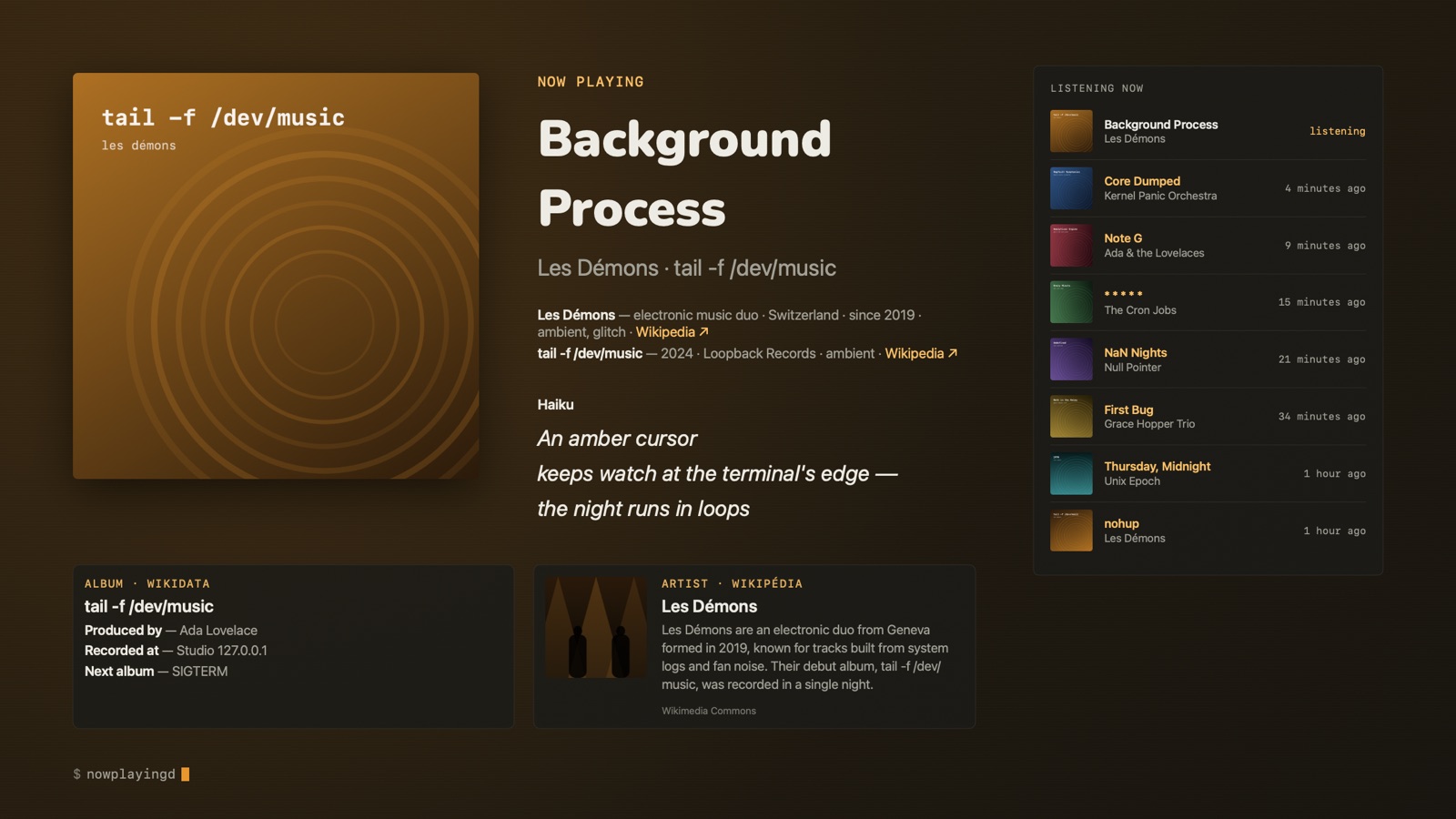
Giant artwork, and along the bottom, cards that take turns at random: Wikipedia extracts, members, studio and producers from Wikidata, a freely licensed photo from Wikimedia Commons, active years from MusicBrainz, the back of the vinyl from the Cover Art Archive, similar artists from Last.fm. The display stays awake meanwhile.
A haiku for every track
Written on the Mac, in your language (or the track's, if you prefer). While the song plays, a wave runs through its letters, like the Dock under the pointer; “Reduce motion” turns it off. On the website, Gemma 4 at Infomaniak writes the haikus; in the app, nothing leaves the Mac.
T key
Lyrics
Synced, current line in amber, on screen about a second into the track: the
search starts with the song, the original shows first and the translation joins it a few seconds
later. The right version is picked by its length (no lyrics from a live take on the studio cut).
Original, translated on the Mac, or both, line under line. [ and ] shift them by half a second, remembered per track.
Off by default: they come from LRCLIB, a community database, and belong to their writers.
Scrobbling, done right
To Last.fm and ListenBrainz, once half the track (or four minutes) has played, sent when it ends. Right before writing, nowplayingd re-reads the account: if another app (Plex, Sonos, Spotify) already sent it, even under a slightly different title, it holds back. Offline, scrobbles wait on disk and go out in order.
⇧⌘M
A post on Mastodon or Bluesky
Track, album, haiku, hashtags and the artwork with its alt text, in an editable preview, in your language. Bluesky connects without any password. Nothing goes out until you click “Post”.
In your language
Right-to-left included. Wikipedia, Wikidata and bios follow the chosen language; what's missing is translated on the Mac and labelled as such. Artist, album and track names are never translated.
No data collected
No account with me, no tracking, no analytics. Credentials stay in the keychain. nowplayingd only talks to your speakers, the services you pick and open databases that only ever see artist and album names.
tail -f /dev/music
otool -L nowplayingd
For the people who code: what's under the hood. No server, no third-party package.
The Mac, and nothing else
- Swift 6 and SwiftUI, strict concurrency, macOS 26 minimum. A
MenuBarExtra, no Dock icon. - Sonos over UPnP: Bonjour discovery (
_sonos._tcp), then SOAP requests to port 1400 on each speaker (GetTransportInfo,GetPositionInfo,GetMediaInfo), and UPnP event subscriptions (GENA) so the speakers report every change themselves. No Sonos account, no Sonos cloud. - Adjustable polling: 15 s to 5 min for online services, 3 s to 1 min on the local network.
- Accounts in the keychain. Last.fm is authorised in the browser; the app never sees a password.
On-device AI
- Foundation Models: the haiku is a
@Generablestruct, three lines, cached per track. No Apple Intelligence on the Mac: no haiku, and no error either. - Translation: lyrics and bios translated on the Mac, in one batch, cached.
- TextRenderer for the Dock wave: each glyph of the haiku is drawn on its own, scaled up to 1.7× and tinted amber as the wave passes, while its neighbours make room.
- Wikidata, MusicBrainz, Wikipedia: when there are namesakes, it abstains. A silent or ambiguous source gives no card rather than a wrong one.
cat ROADMAP.md
-
Mac, iPhone, iPad, Apple TV · beta
1.0: every screen
On the App Store: free download, a 7-day free trial, then a one-time purchase of CHF 5, with CHF 2 for the first month, for all your devices. No subscription. Now in beta on TestFlight; still to do: submission to Apple. No date until Apple says yes.
Already in: one hub, many displays. An always-on Mac mini reads every source, writes the haikus and is the only one that scrobbles; the other Macs, the iPhone, the iPad (iPhone Duo included) and the Apple TV show what it publishes. Away from home, the iPhone scrobbles Apple Music by itself; widgets, full screen on the TV. Same idea as the Agence in fornews.ai.
-
later
And then
The ideas on the list, top priorities first:
- Vinyl and radio recognized (ShazamKit): when the source gives no title, a few seconds through the microphone are enough to show it and scrobble it. Then the record is found in your Discogs collection: your pressing, its label, its year. Or with no microphone: pick the record you're putting on, and nowplayingd plays through the side.
- Siri, Shortcuts and a Live Activity: “What's playing in the living room?”, the cover and lyrics in the Dynamic Island.
- Your own “Wrapped” every month and at year's end, and the world map of your listening (each artist's country).
- Apple Music credits and editor's notes in the backstage cards; an audio visualizer on the Mac.
- Apple Watch, interactive widgets; decades, repeat listens, discoveries of the month; “a year ago, you were listening to…”.
- A “my week in music” recap on Mastodon; a party mode on the TV: a QR code, and guests follow the lyrics on their phones.
- Display themes to choose from (amber, monochrome, cover colors, neon, paper, high legibility) and layouts (minimal, magazine, karaoke).
- iCloud: plays from HomePod, CarPlay and the Watch finally scrobbled; what's playing at home, visible anywhere; your own listening journal in iCloud Drive.
- A Mac screen saver, a Vision Pro window, and licensed lyrics instead of LRCLIB.
nowplayingd --beta
I'm looking for beta testers. You'll get the beta through Apple's TestFlight, free, with updates as they come. Ideal profile: a Mac on macOS 26, music all day, and if possible Sonos speakers, a Last.fm account (required), and if possible a ListenBrainz account or a Mac mini that's always on.
To join, open the public TestFlight link on your Mac: testflight.apple.com/join/hjrvZzsT. It opens as soon as Apple has approved the beta. What I want to hear: what breaks, what's missing, what makes you smile, in TestFlight or in a private message on Mastodon.
$ echo "Music is passion."
nowplayingd --version
No App Store link yet: 1.0 is in beta. This page is the reference, and I'll update it at each step. Help and privacy are here: help · privacy policy.
A question, a speaker that doesn't show up, an idea for the roadmap? The easiest is to reach me on Mastodon.